Your own list
The chips at the top switch between people; My list is yours.
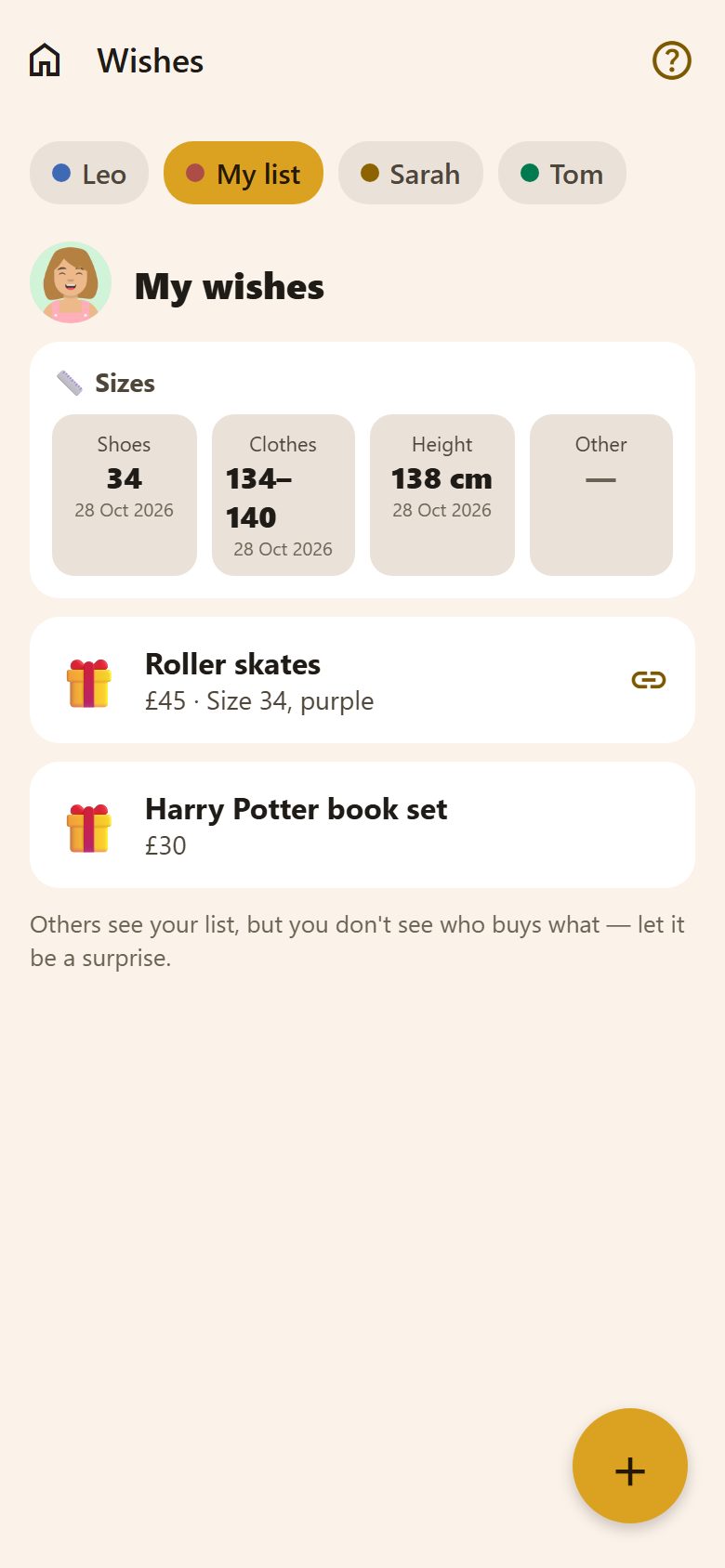
+ at the bottom right → Add a wish:
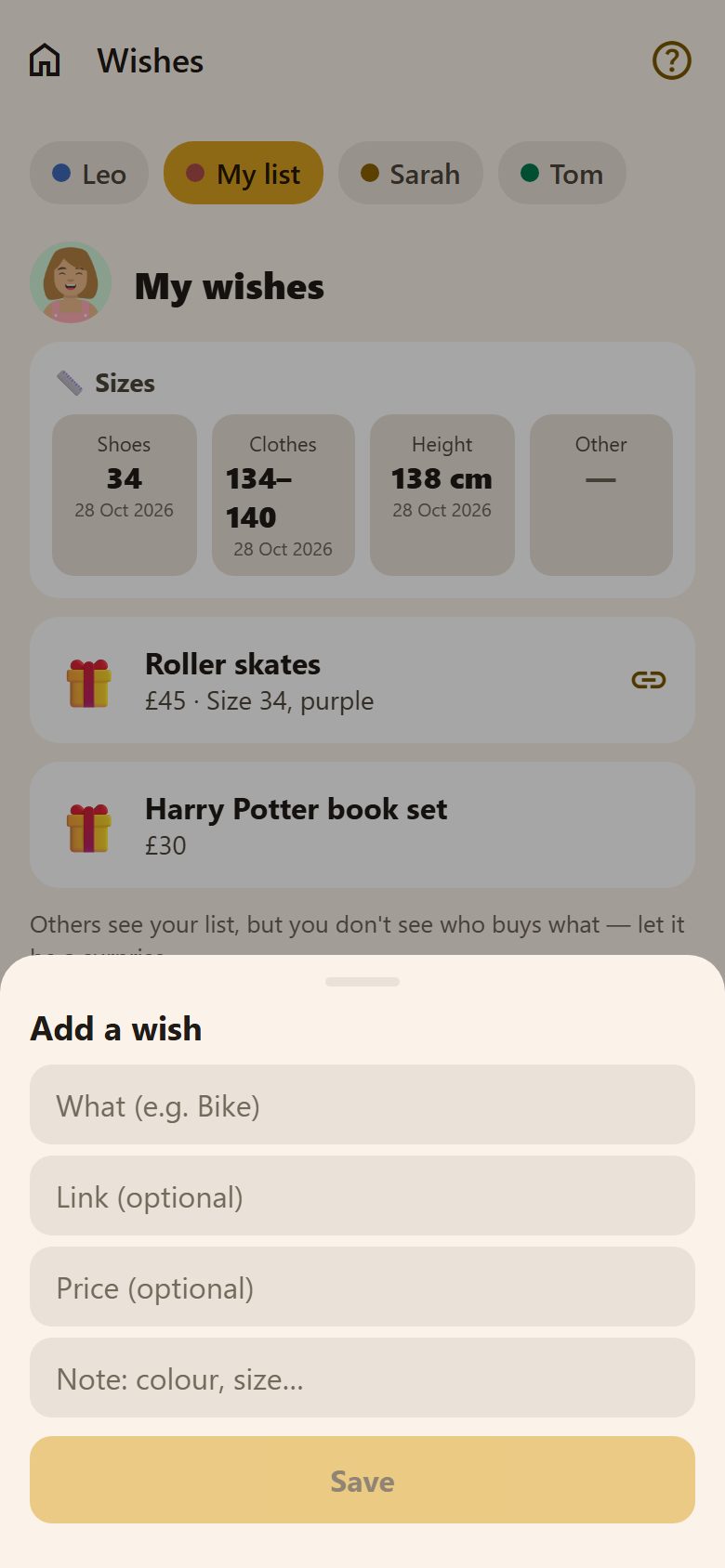
- What: "Roller skates".
- Link: where it's sold — the others open it with 🔗.
- Price and a note: "Size 34, purple".
Tap your wish to change or delete it.
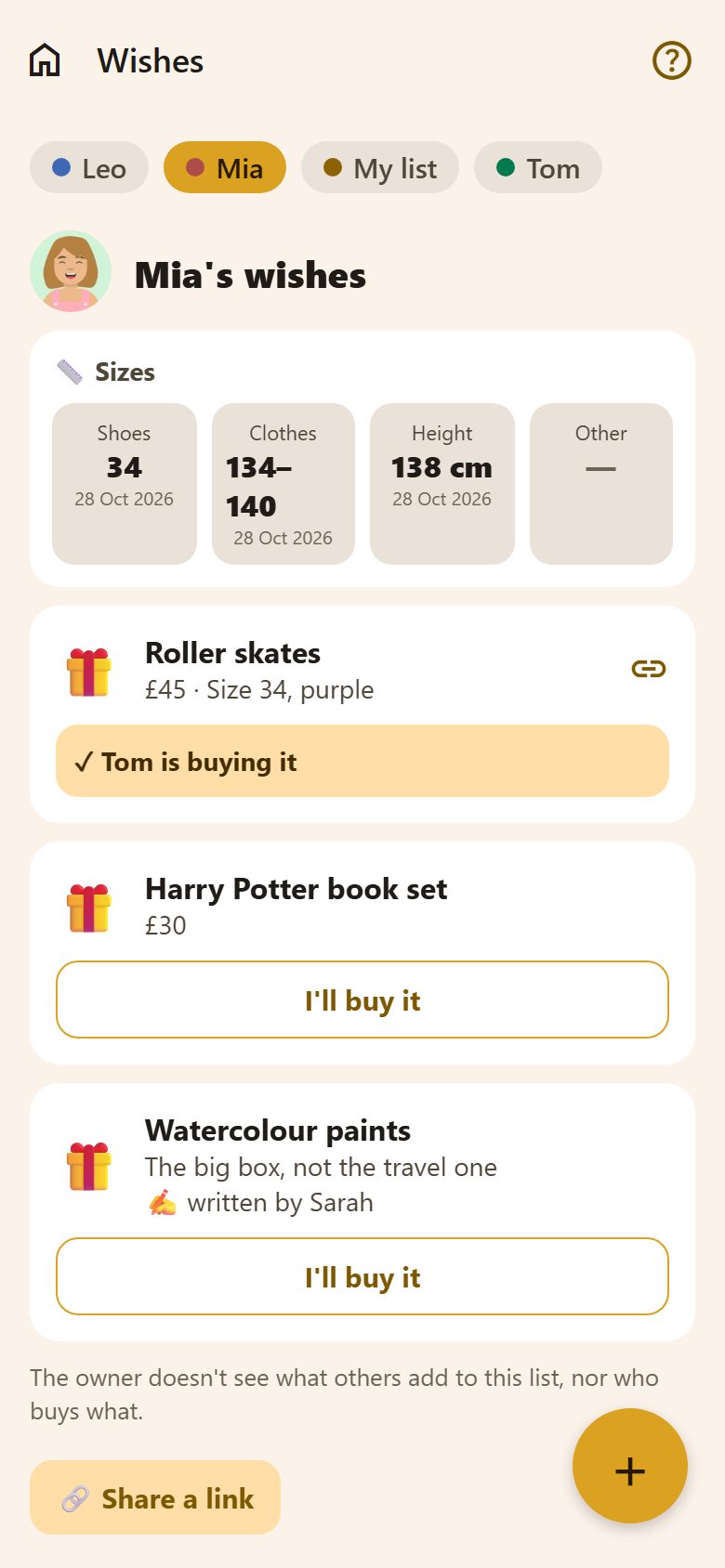
Someone else's list
- I'll buy it under a wish reserves it: the others see "✓ Tom is buying it", so nobody buys it twice. Undo gives it back.
- The owner never sees who buys what — the app's server doesn't send it to their phone.
- Parents can add a wish to a child's list ("Watercolour paints — the big box"), marked ✍️ written by them. The child doesn't see what others put on their list — that's a surprise too.
Sizes
Each list starts with 📏 Sizes: Shoes, Clothes, Height and Other, with the day they were measured. Tap one to change it — the person or a parent. Handy in the shop, when you can't remember if it's 134 or 140.
A link for grandparents
At the bottom of a list, parents have Share a link: grandparents and godparents open the list without the app or a login, and reserve a gift under their name — the family sees it's taken. Stop the link turns it off.
Questions
Can a child see that a parent added something to their list? No — not the wish, and not who buys anything.
Can a child buy a present for a parent? Yes — "I'll buy it" works for everyone in the family.