Parents and children
| Parents | Children | |
|---|---|---|
| Login | E-mail and password | A username and password — no e-mail or phone |
| Tasks | Make, give out, approve | Do theirs; "Done" waits for a parent's approval |
| Points and rewards | Set them, give bonuses | Earn points, ask for rewards |
| Shopping, the wall, recipes, celebrations, wishes | Everything | Everything |
| Notes, bills, documents, settings | Everything | — (only their own documents) |
| Medicines | Everyone's | Only their own |
Children see their own My day, the family's shared places, and nothing that's for parents only.
Adding someone
In ⚙️ Settings → Family, the + at the end of the row of faces:
- Add a child: a name, a username and a password — see Getting started.
- Add a parent, or an invitation link they open to make their own login — see Getting started.
Each member has a colour (on tasks, the calendar and the shopping list) and a picture — changed in Settings, where a parent can also rename someone, change a child's password or remove a member.
Trusted people: grandma and the babysitter
Whoever looks after the children for a day gets a link — no app, no login, nothing to install. Family → Trusted people (parents).
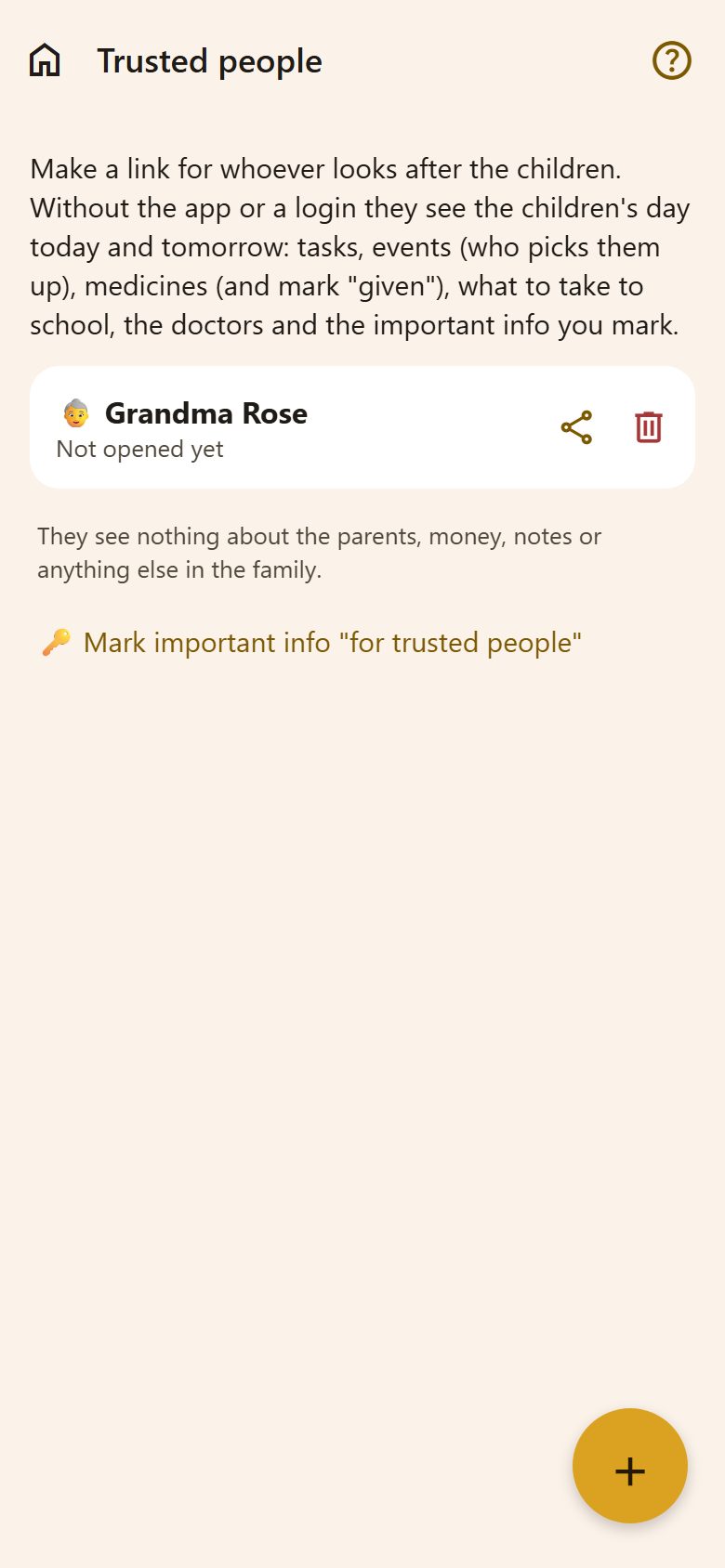
+ → a name ("Grandma Rose") → Make a link. Then:
- Send (↗) shares it by Viber, WhatsApp, SMS or e-mail.
- Under the name: when they last opened it.
- The bin turns the link off at once.
What they see
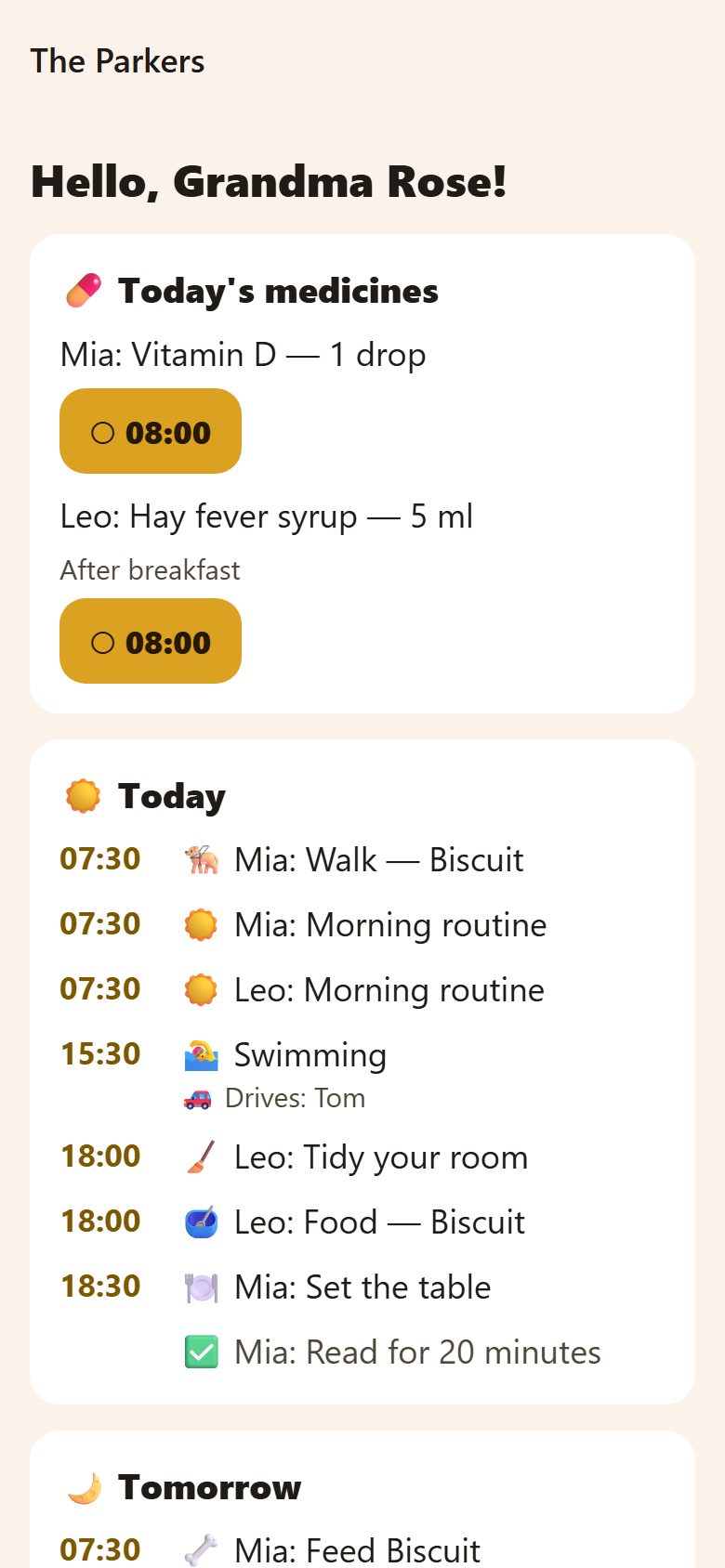
The children's today and tomorrow, big and simple, and it refreshes by itself:
- Today's medicines — with a button for each dose: tap it when it's given (✓ Given), and the parents see it.
- Tasks and events in time order — who drives and who picks up.
- What the children take to school tomorrow.
- The important info you marked 👵 Show to trusted people (the Wi-Fi, the door code).
- The doctors, with their phones.
Nothing else: not the parents, money, notes, documents or anything else in the family.
Questions
Grandma has a smartphone — should she join the family instead? Only if she should see everything children see. For looking after them, the link is simpler and shows just what she needs.
The babysitter doesn't come any more. Turn her link off with the bin — it stops working straight away.