The family tablet
⚙️ Settings → Family tablet (parents), on the tablet itself.
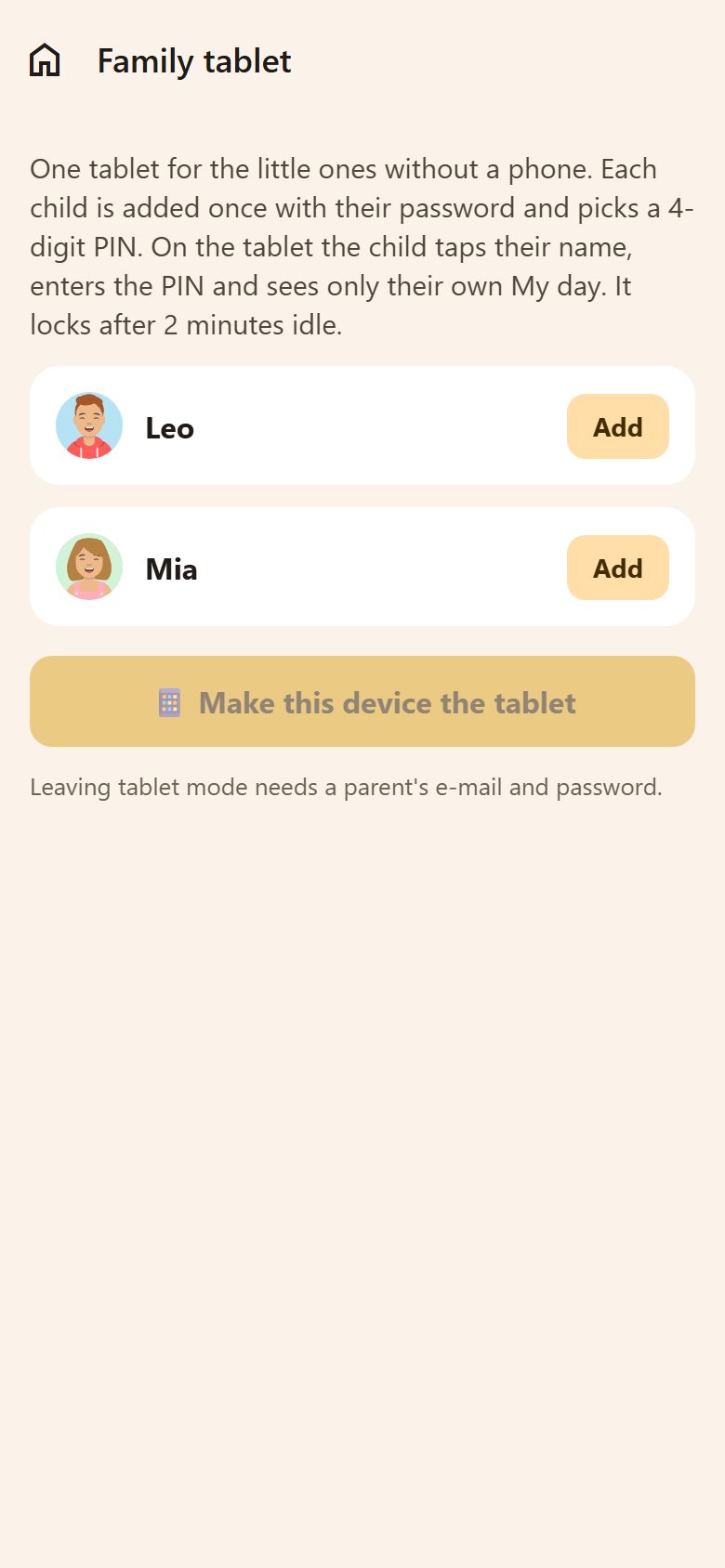
- Add next to each child: their password (once) and a 4-digit PIN they choose.
- Make this device the tablet — you're signed out of it and it becomes the family tablet.
Then a child takes the tablet → Who are you? → taps their name → enters the PIN → sees only their own My day and ticks their tasks off. It's not me goes back to the names.
- After 2 minutes without a touch it locks and shows the names again.
- Each child is really signed in as themselves — the tablet can never reach parent things.
- A wrong PIN too many times: wait half a minute.
Getting the tablet back
On the lock screen, Parent → your e-mail and password → Sign in and turn the tablet off. Only a parent can turn it off.
The kitchen screen
Family → Kitchen screen: an old tablet on the wall or the fridge shows the family's day.
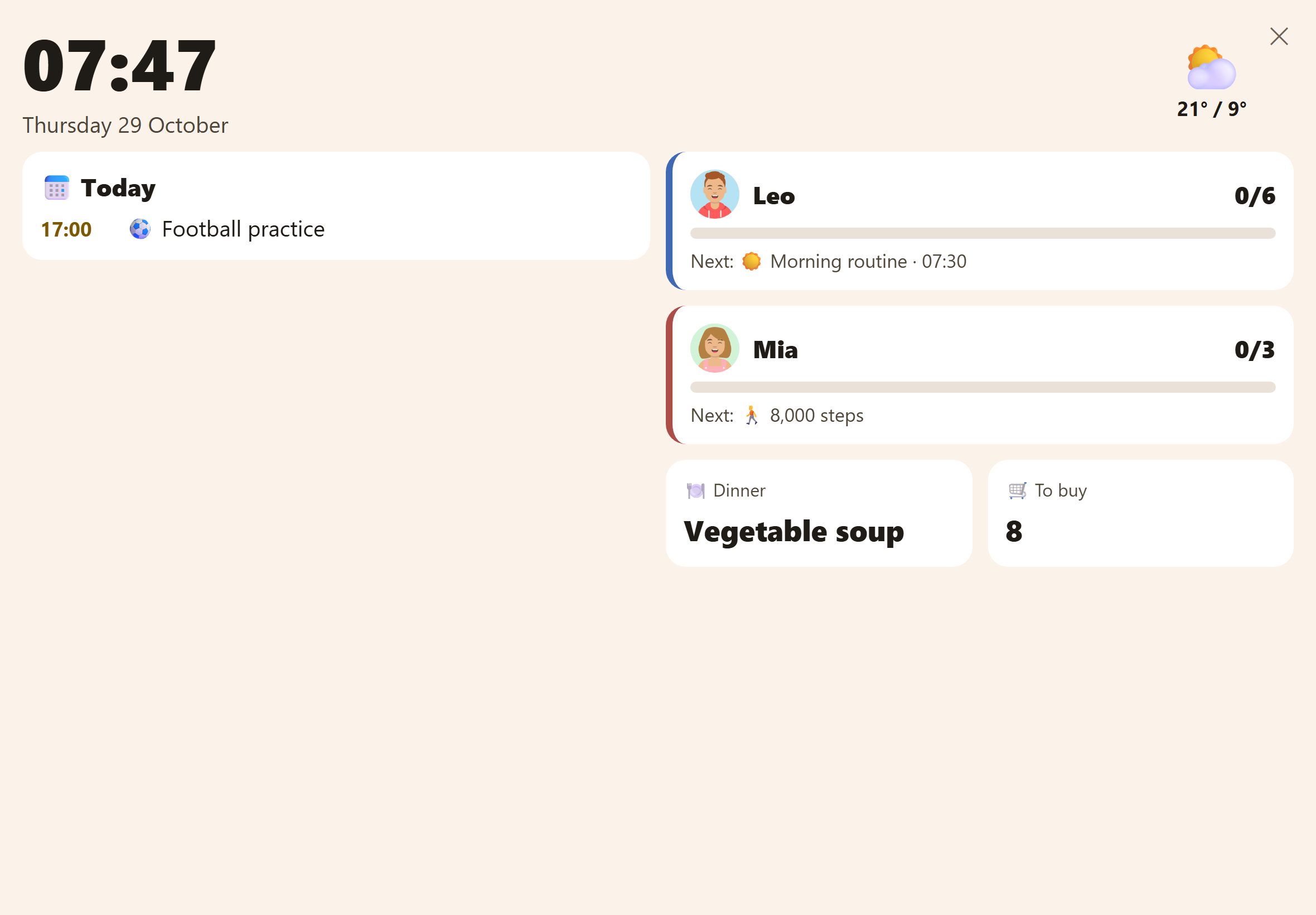
- The clock, the date and the weather.
- Today: the family's events.
- Each child: how many tasks are done and what's next.
- Dinner from the weekly menu, and how many things are left to buy.
The screen stays on and refreshes by itself. ✕ at the top closes it. It's meant for a tablet on its side; on a phone it works too.
Questions
A child forgot their PIN. On the tablet: Parent → sign in and turn the tablet off. Then in ⚙️ Settings → Family tablet remove the child, Add them again with a new PIN, and make the device the tablet again.