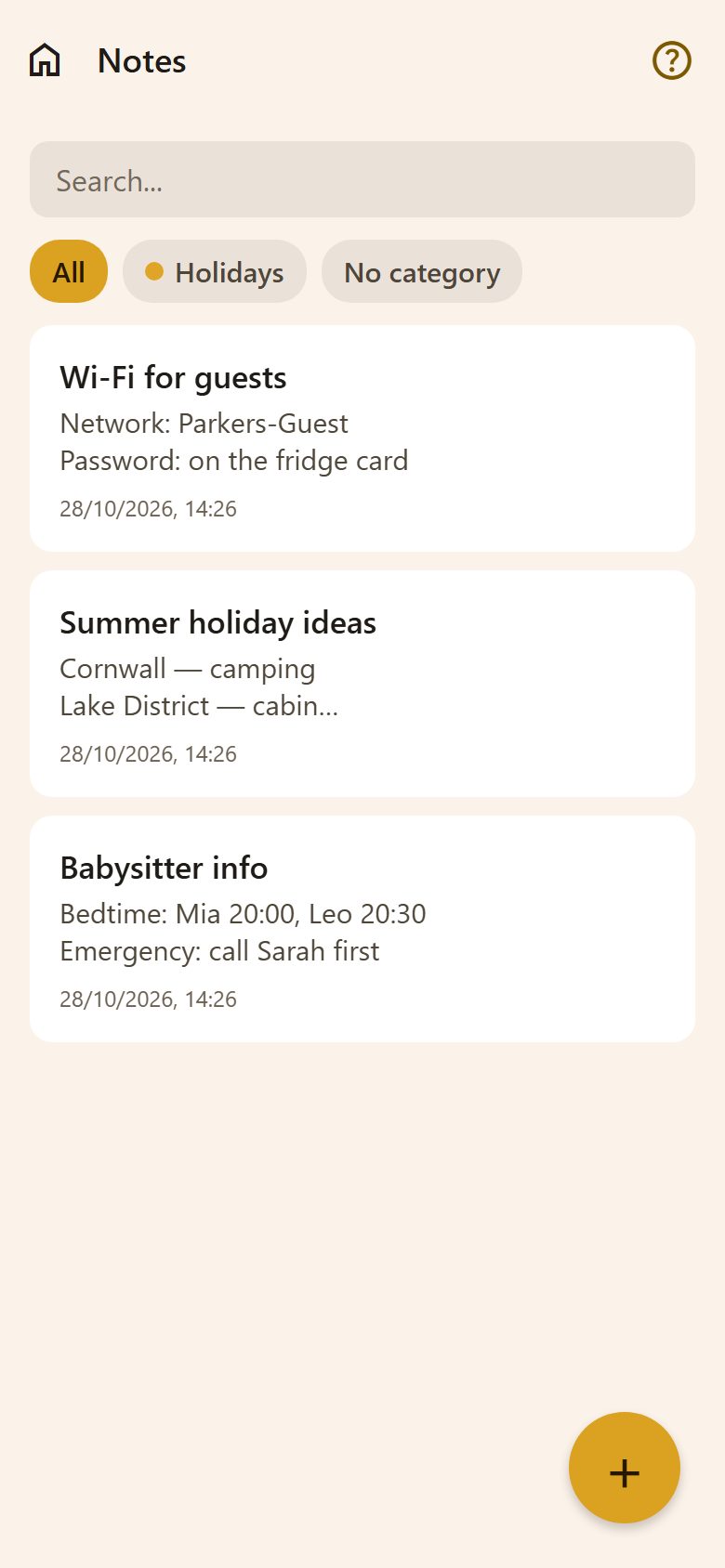
The list
- Search looks through titles and text as you type.
- Category chips filter the list — All, each of your note categories, or No category.
- + at the bottom right makes a new note.
A note
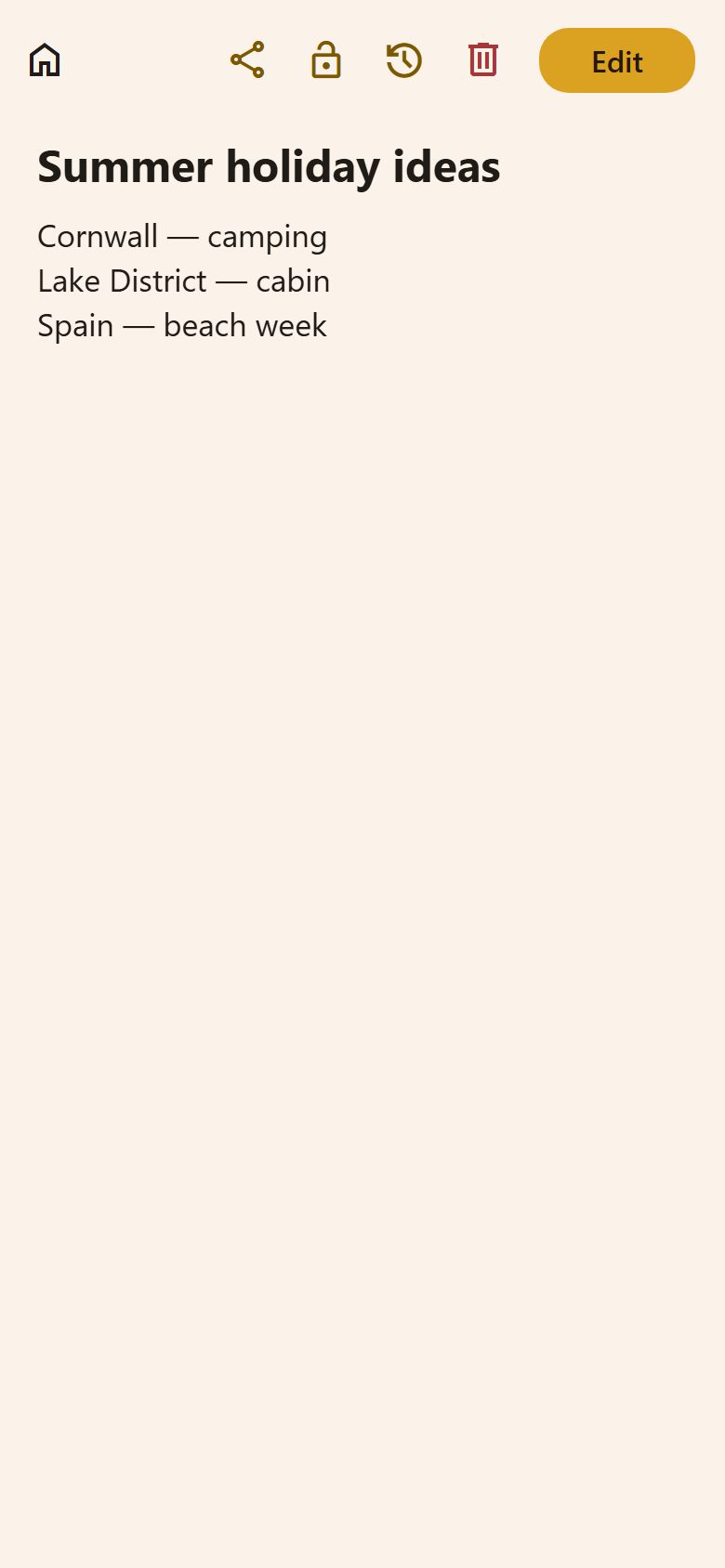
At the top of an open note:
| Button | What it does |
|---|---|
| Share | A link to this note to send to someone in the family (it opens only for family members). |
| 🔒 Lock | Only me: the note is private — the other parent doesn't see it. Tap again to share it with them. |
| 🕐 History | Every saved version, with when and who changed it. Tap one to see it whole, then Restore this version. |
| Delete | Removes the note. |
| Edit | Opens it for writing. |
Writing
- A title and the text. On a phone the text is formatted like in any notes app: bold, lists and ☑ checkboxes you can tick right in the note.
- Category: tap one to pick it, tap again to remove it; + Add category makes a new one right there.
- Links in the text show under the box: tap to open in the browser, hold to copy.
- 📎 Files: in the row of tools, 📎 attaches a photo or a PDF and puts its name in the text as a link, where the cursor is. With the cursor on such a link, Open "…" shows under the box. All of a note's files are also listed under the text. If a file is removed, its name stays in the text.
Writing together
When someone else is writing in the same note, ✏️ Mum is writing here shows at the top. If you both save, changes in different paragraphs are joined; where you both changed the same place, your text stays and theirs is in the note's history.
Questions
Does the other parent see my notes? Yes, unless you lock a note with 🔒 Only me.
I changed a note by mistake. 🕐 History → tap the version before → Restore this version.
Is it safe for passwords? It's private to your family, but it isn't a password manager — don't keep bank passwords here.