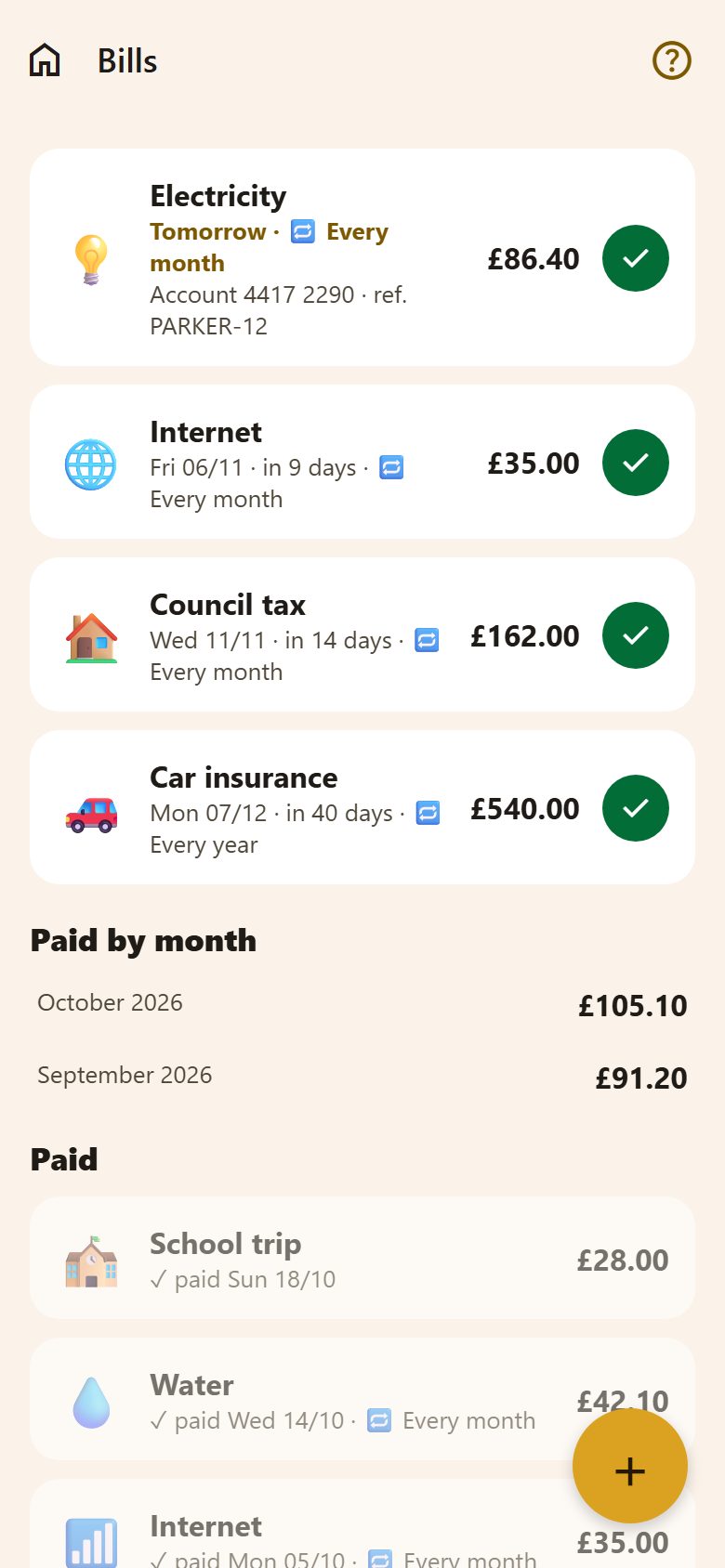
Adding a bill
+ at the bottom right of Bills.
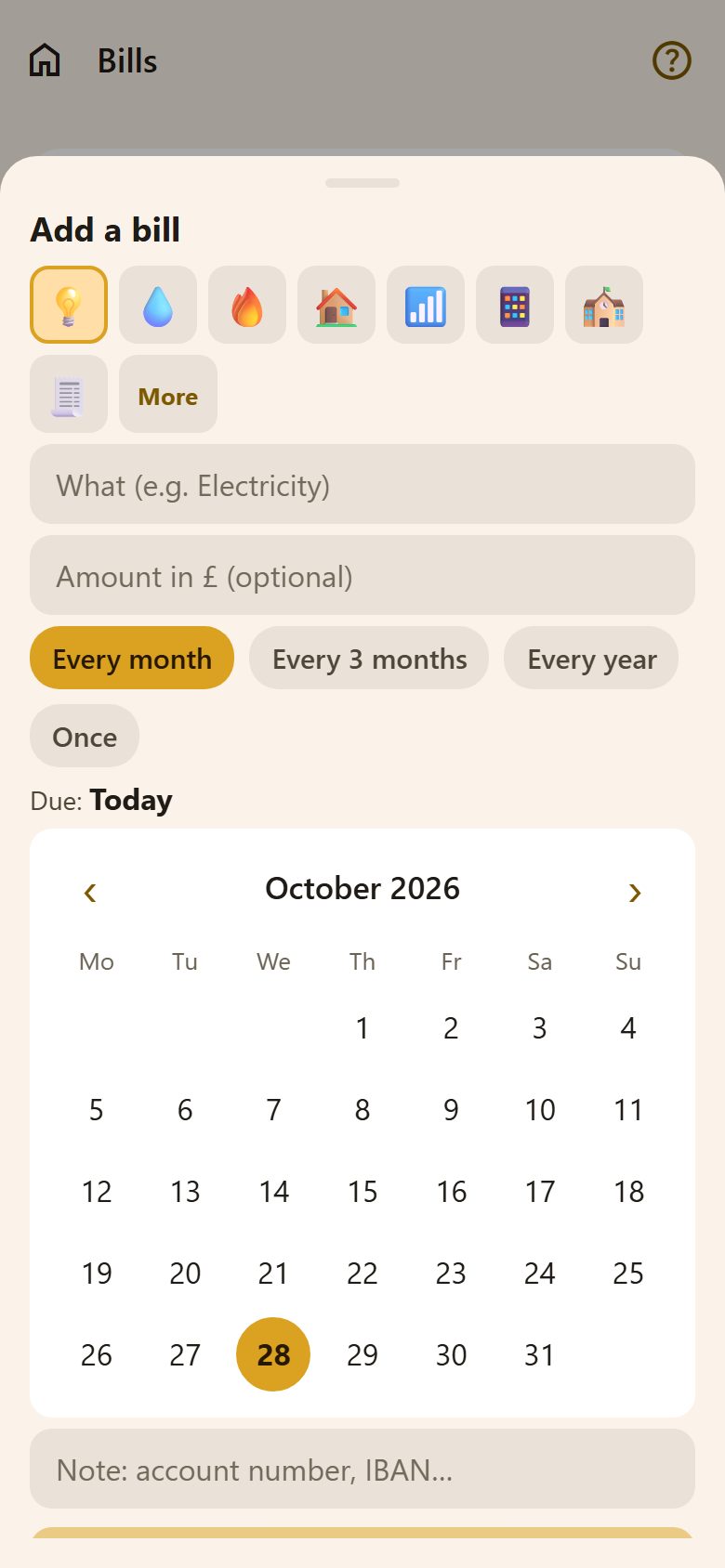
| Field | What to write |
|---|---|
| Picture | 💡 💧 🔥 🏠… Pick one, or More for any emoji (how). |
| What | "Electricity", "Council tax". |
| Amount | Optional — in the family's currency. Leave it empty when it changes every time. |
| How often | Every month, Every 3 months, Every year, or Once. |
| Due | Tap the day in the calendar. |
| Note | The account number, IBAN or reference — it shows on the bill, so you can pay without opening it. |
Tap a bill to change or delete it.
Paying
✓ beside a bill marks it paid today. A bill that repeats makes its next one straight away — a month, three months or a year later, with the same amount and note. If next month's amount is different, tap the new bill and change it.
Paid by mistake? Tap the bill in Paid → Not paid.
- Due today or in the next 3 days: the date is highlighted; overdue: in red with overdue.
- Paid by month adds up what was paid in each of the last six months.
- Paid lists the latest paid bills.
Reminders
Both parents get a notification 3 days before, the day before and on the day a bill is due, with its name, amount and due date ("💡 Electricity · 86.40 GBP"). They come at the time of the morning summary and never in quiet hours (Settings). A paid bill isn't reminded.
Questions
Do children see the bills? No — bills are only for parents.
A bill that's different every month? Leave the amount empty; the reminder just says the bill's name.
Does Lanibo pay the bill? No — it reminds you and keeps track. Paying is up to you and your bank.