Turning it on
⚙️ Settings → Family → AI assistant → On for the family. Only parents use it; children never send anything to it.
Each family has a number of AI requests — a new family starts with 20. The setting shows how many are left; when they run out, Ask for more.
What it does
| Where | What |
|---|---|
| Say it 🎤 | Several things in one sentence — "Buy milk, and Mia has swimming on Friday at 5" — shown one after the other. |
| Say it → 📷 Snap a note, From photos, Scan | A school letter or an invitation in a photo becomes tasks and events. |
| School → Timetable from a photo | The whole timetable read from a photo. |
| Recipes → ✨ Read it with AI | A recipe from a page that can't be read the usual way. |
| Weekly menu → ✨ Suggest my week | Dinners for the empty days, from your recipes and everyday dishes. |
| ⚙️ Settings → AI assistant: set the family up | A new family's routines, chores and rewards (below). |
Each of these is one request — a photo of up to 5 pages too.
Setting the family up
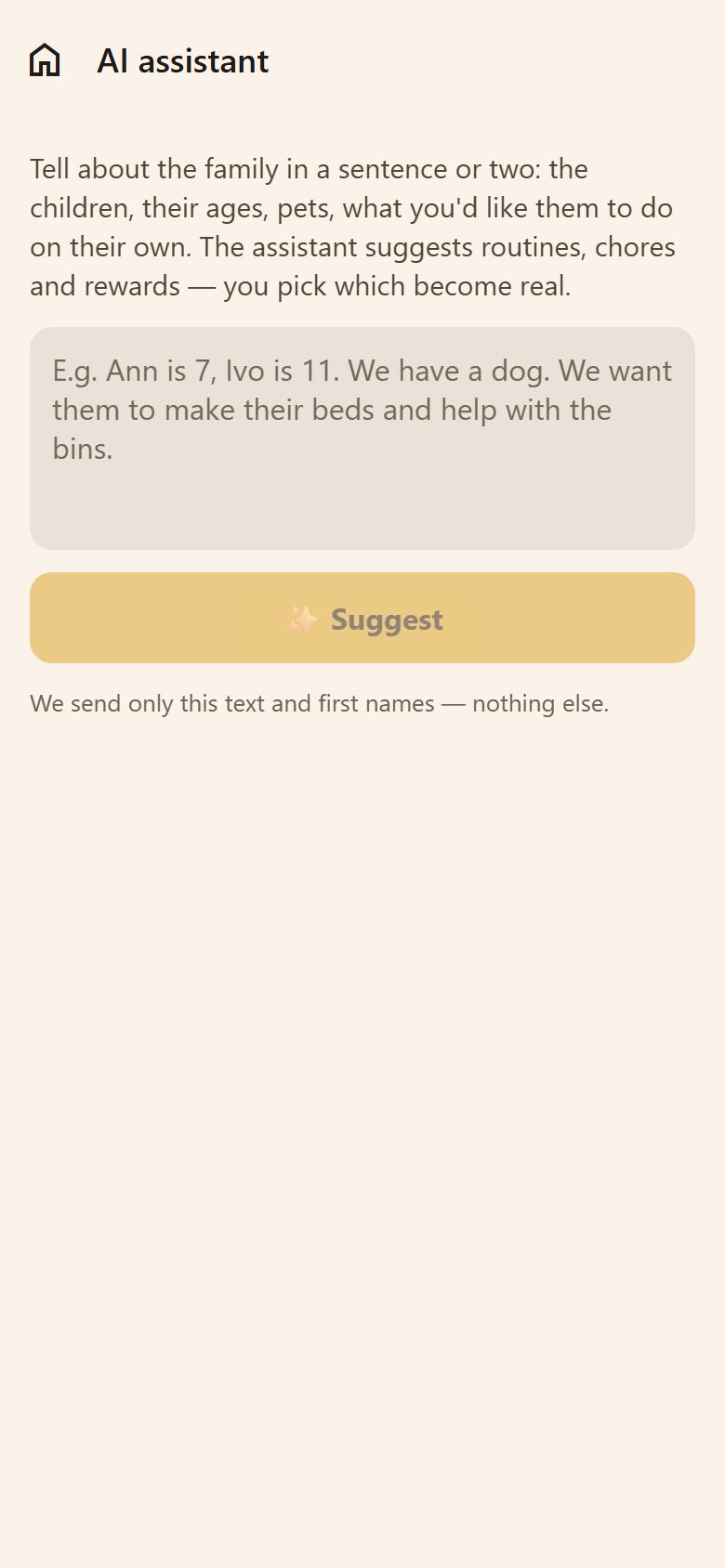
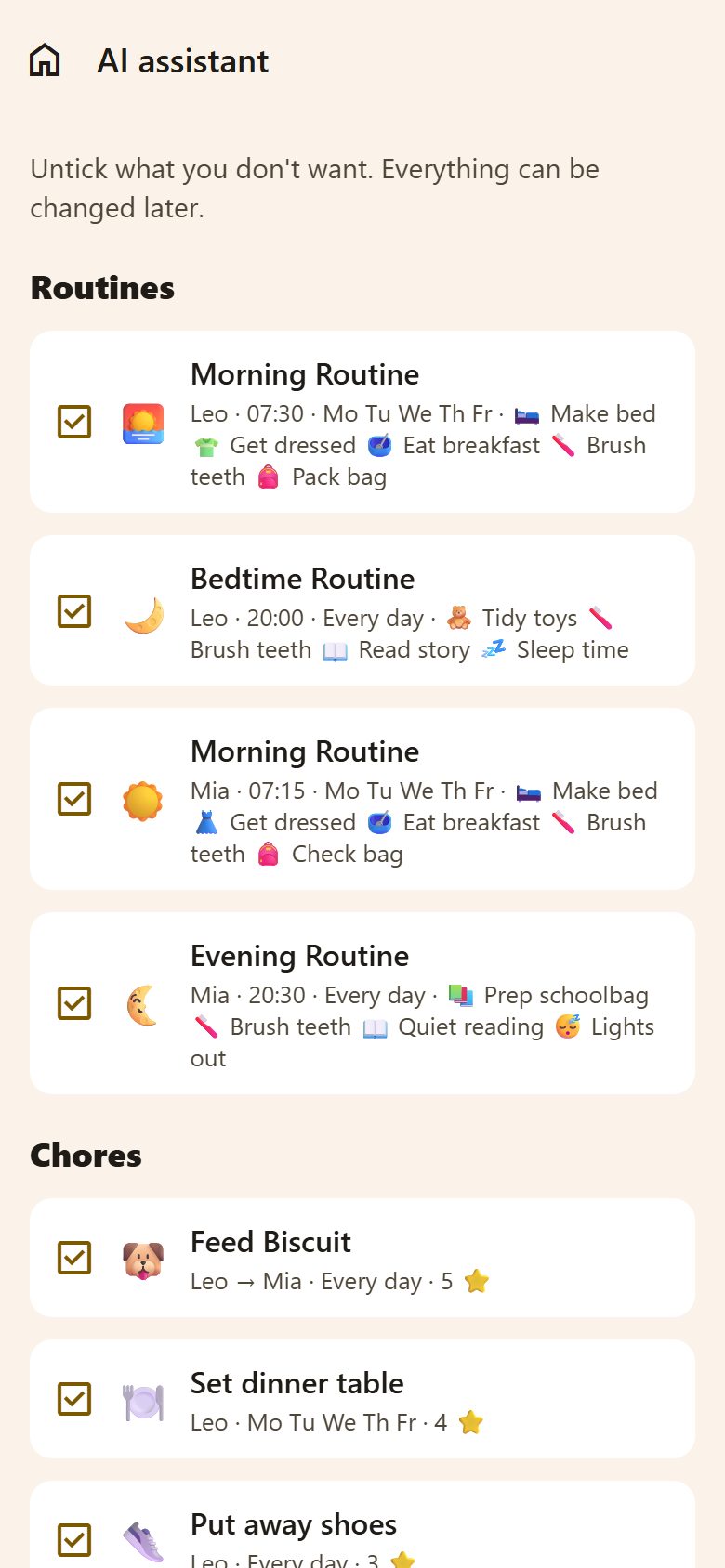
Tell about the family in a sentence or two — the children, their ages, pets, what you'd like them to do on their own — and tap ✨ Suggest. The assistant suggests routines, chores and rewards that fit the children's ages. Untick what you don't want → Create the ticked ones. They're ordinary routines, tasks and rewards: change anything afterwards.
Privacy
- Only what you send goes to the AI — the sentence, the photo or the page — with the children's first names where needed. Nothing else from the family.
- The AI is Anthropic's Claude, used through its business API: it doesn't use the data to train its models. See the Privacy Policy.
- Nothing is saved without your tick.
Questions
It says the AI has been used a lot today. There's a limit per minute and per day — try again later.
Can I turn it off again? Yes — the same switch. The things it made stay; they're yours.