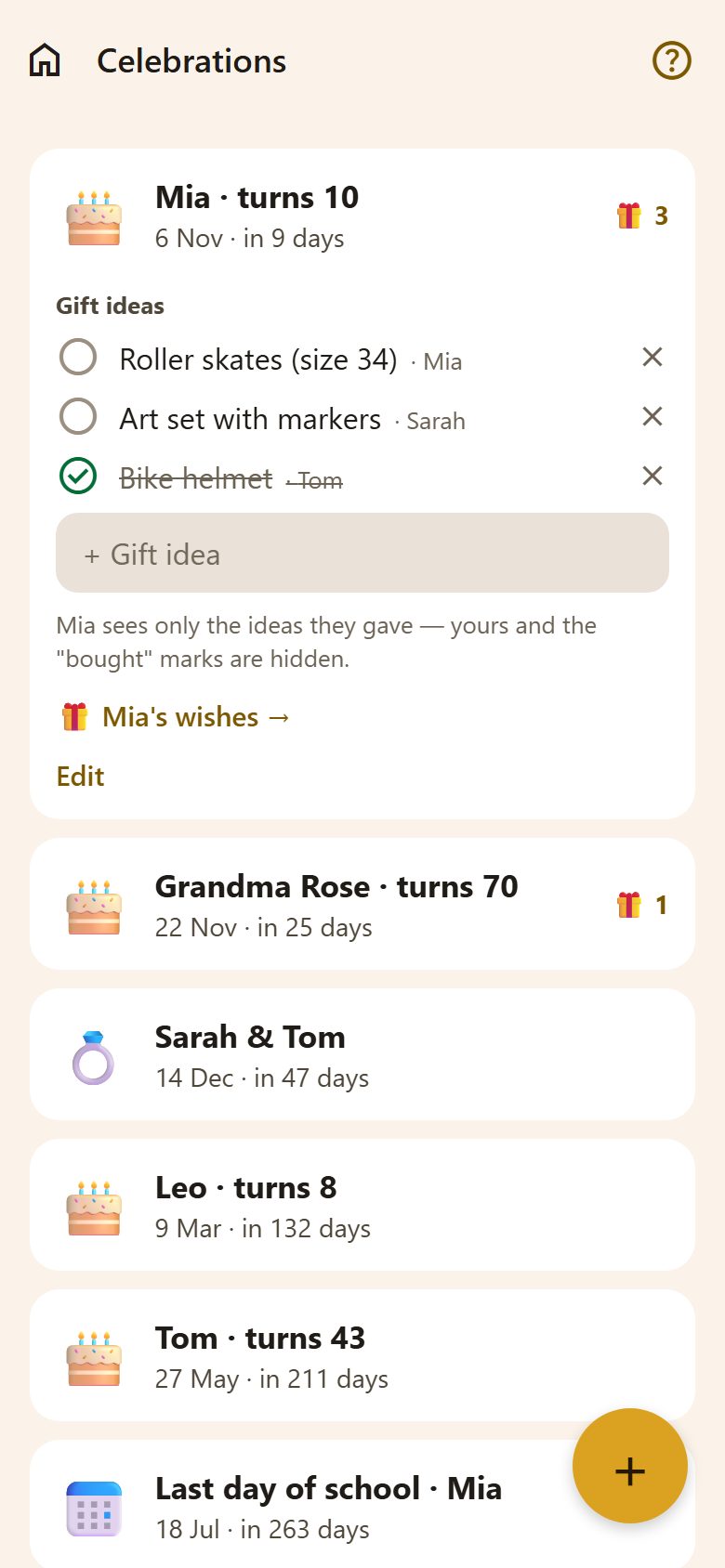
Adding a celebration
+ at the bottom right of Celebrations — anyone in the family can add one.
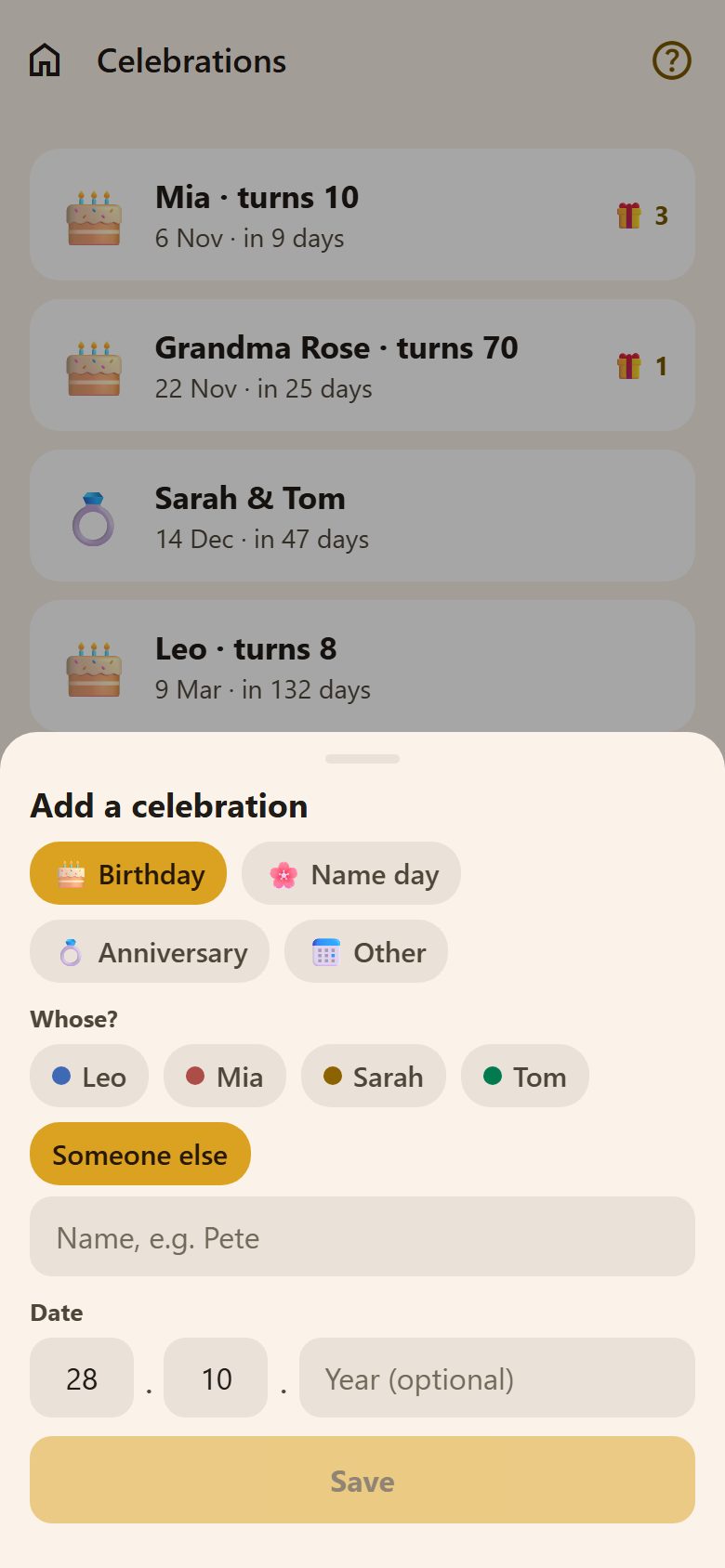
- What it is: Birthday, Name day, Anniversary or Other (with what: "Last day of school").
- Whose: someone in the family, or Someone else with a name — grandma, a cousin, a friend.
- Date: day and month. The year is optional — with it, a birthday shows the age ("turns 10") and the reminder says it.
The list is sorted by what comes next. Tap a celebration to open it; Edit changes it (the person who added it, or a parent).
Reminders
A week before and the day before, everyone in the family gets a notification: "🎂 Mia · 10 — In a week, gift ideas in the app". Except the person it's about: it's their surprise. Reminders come in the morning and never in quiet hours.
Gift ideas — a secret
Open a celebration to see its gift ideas:
- + Gift idea adds one; the name beside it says whose idea it was.
- Tick an idea when it's bought, so nobody buys it twice. ✕ removes an idea.
- For someone in the family, 🎁 Mia's wishes → opens their wish list.
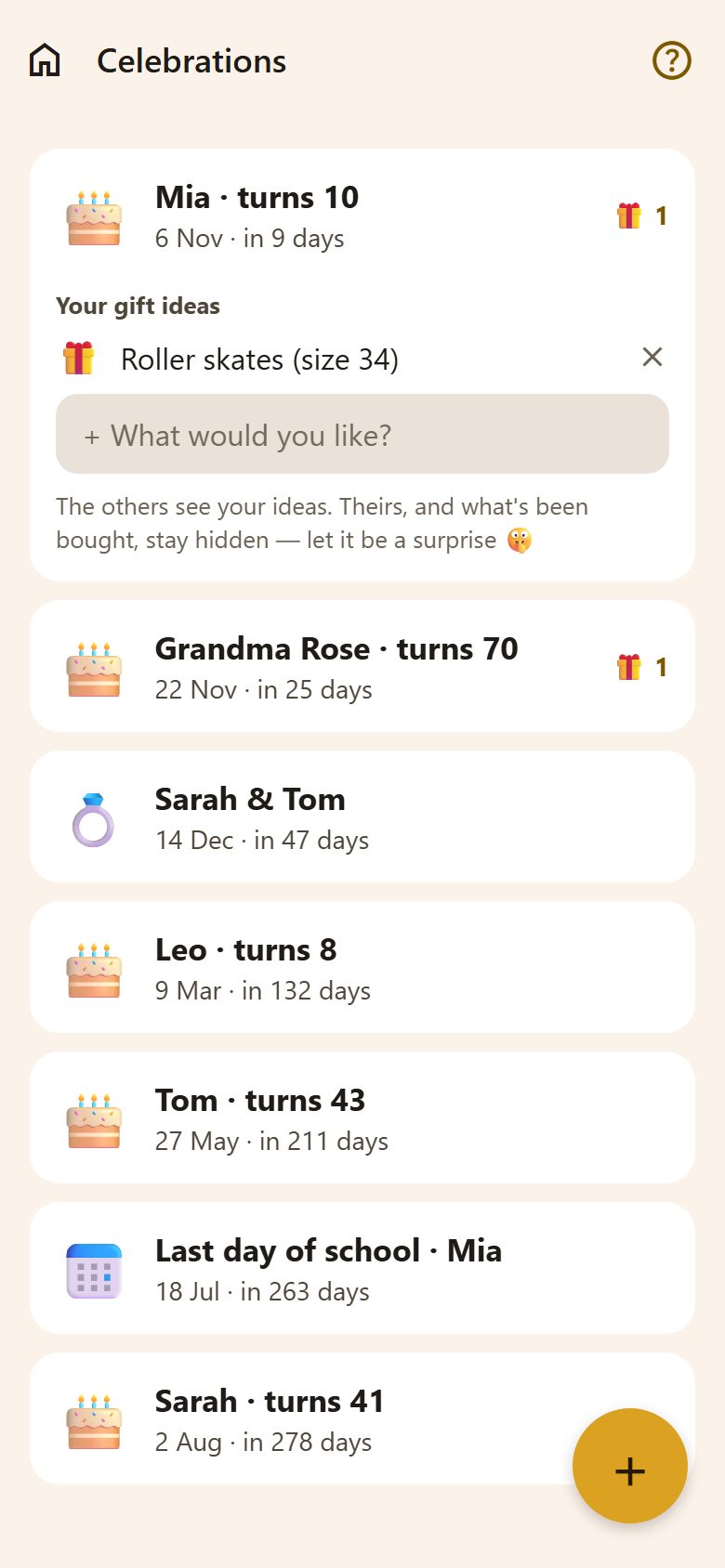
The person it's about sees only the ideas they gave themselves — "+ What would you like?" — never the others' ideas or what's been bought. The app's server hides them, so it stays a surprise even on their phone.
Questions
Can children add a celebration? Yes — a child can add their friend's birthday. Only they and the parents can change it.
Why don't I get a reminder for my own birthday? On purpose: the others are preparing a surprise.