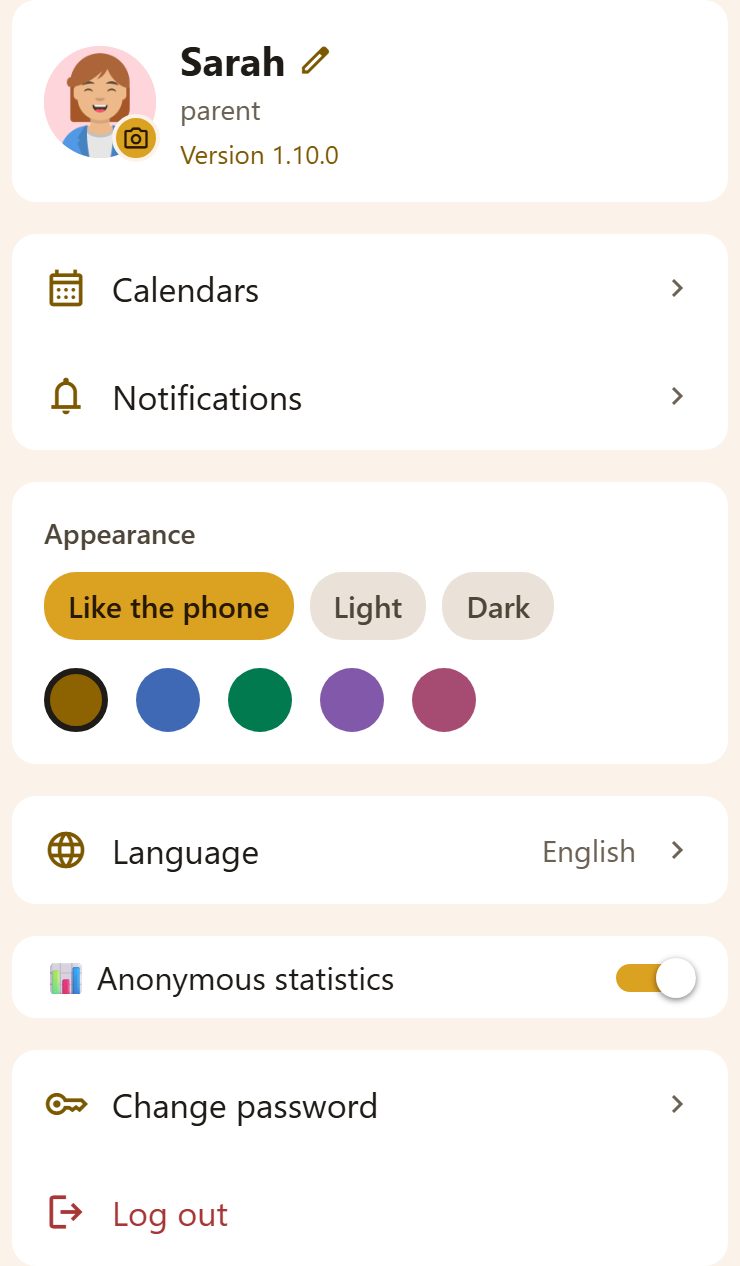
You
- The picture with 📷 — take or choose a photo.
- Your name with ✏️ — tap to change how it shows in the family.
- Under it: the e-mail you log in with (a child sees their username), and the app's version.
What's in it
| Row | What it does |
|---|---|
| Calendars | Your family events in your phone's or Google calendar, and bringing other calendars in. See Calendars. |
| Notifications | Which kinds of notifications reach you — just for you. See Notifications. |
| Language | Each person picks their own — 14 languages. |
| Share my location | Tap it and pick an app (Viber, WhatsApp, SMS…): it sends a map link to where you are. The phone asks once for location "while using the app"; Lanibo finds you only when you tap and keeps nothing. In a browser without sharing, the link is copied. |
| Last seen | Whether your family sees where you are: On, Off, On · by a parent (a child), or 🔴 Live until … during On my way. A tap opens Locations, where it is switched on and off. |
| Appearance | Like the phone, Light or Dark, and a colour for the app; 🎄 Holiday touches (an emoji by the greeting and confetti in the season's colours around Christmas, Easter and other holidays where you live). For this phone only. |
| Activities | Steps and movement on this phone, for activity goals (on a phone only). |
| Anonymous statistics | May Lanibo count, anonymously, which parts of the app you use? No names, no content. Each person decides for themselves. |
| Check for updates | On a phone: a new version in the store opens the store; a smaller update downloads, and Restart now starts it (otherwise it starts the next time you open Lanibo). |
| Change e-mail | Parents: the new e-mail and your password, then open the link we send to it. |
| Change password | Your current password, then the new one (at least 8 characters). |
| Log out | Off this phone; your family's things stay. |
| Delete my account | Parents: your account, for good — and if you're the last person in the family, the family and all its data too. See Privacy. |
What a child sees
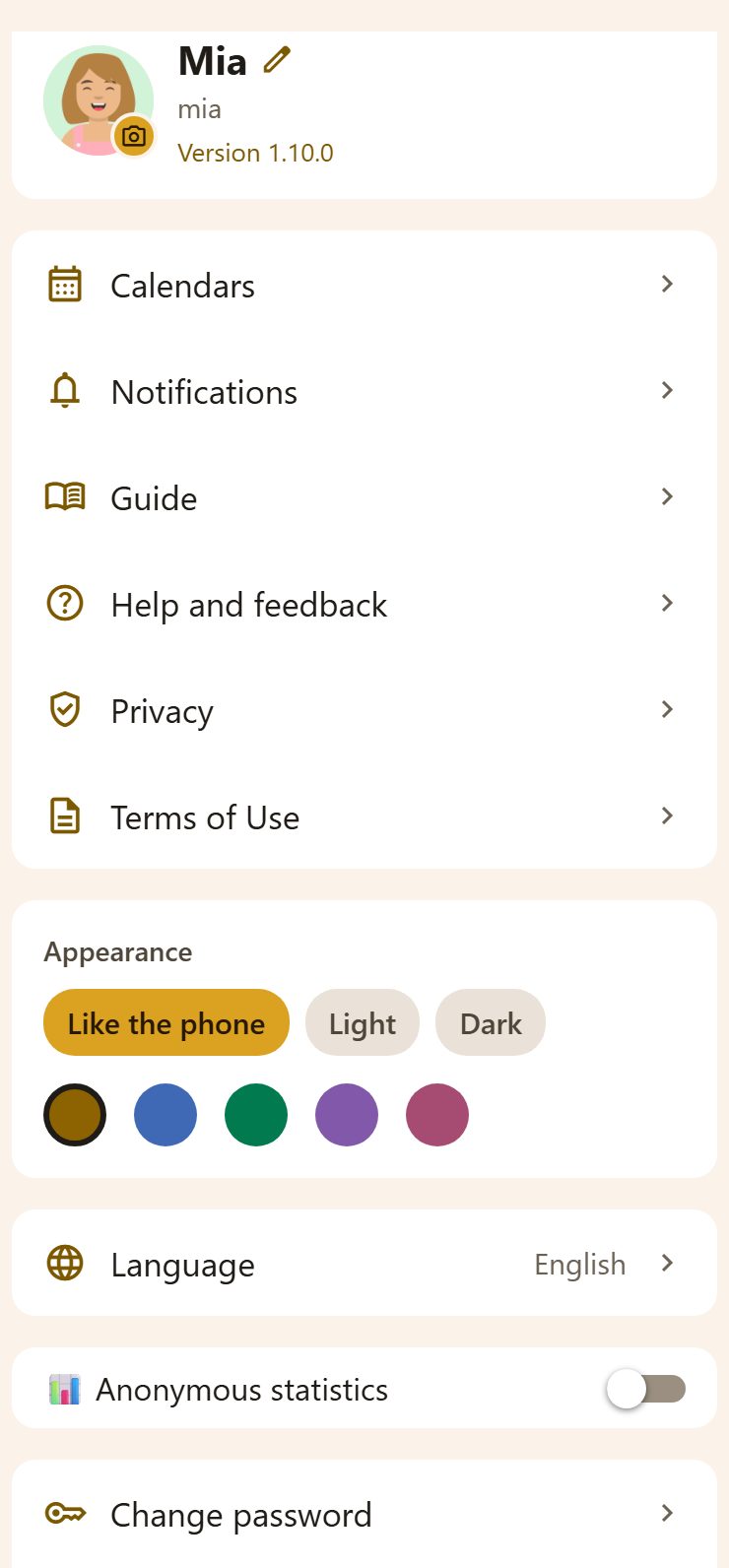
The same, plus the Guide, Help and feedback, Privacy and Terms of Use — children have no ⚙️ Settings, so their way to them is here. A child's account is removed by a parent (Settings), not from here.
Questions
I forgot my password. On the login screen, Forgot password? sends a link to your e-mail. A child asks a parent: ⚙️ Settings → Family → their card → Change password.
Does the colour change it for everyone? No — Appearance is only for this phone.