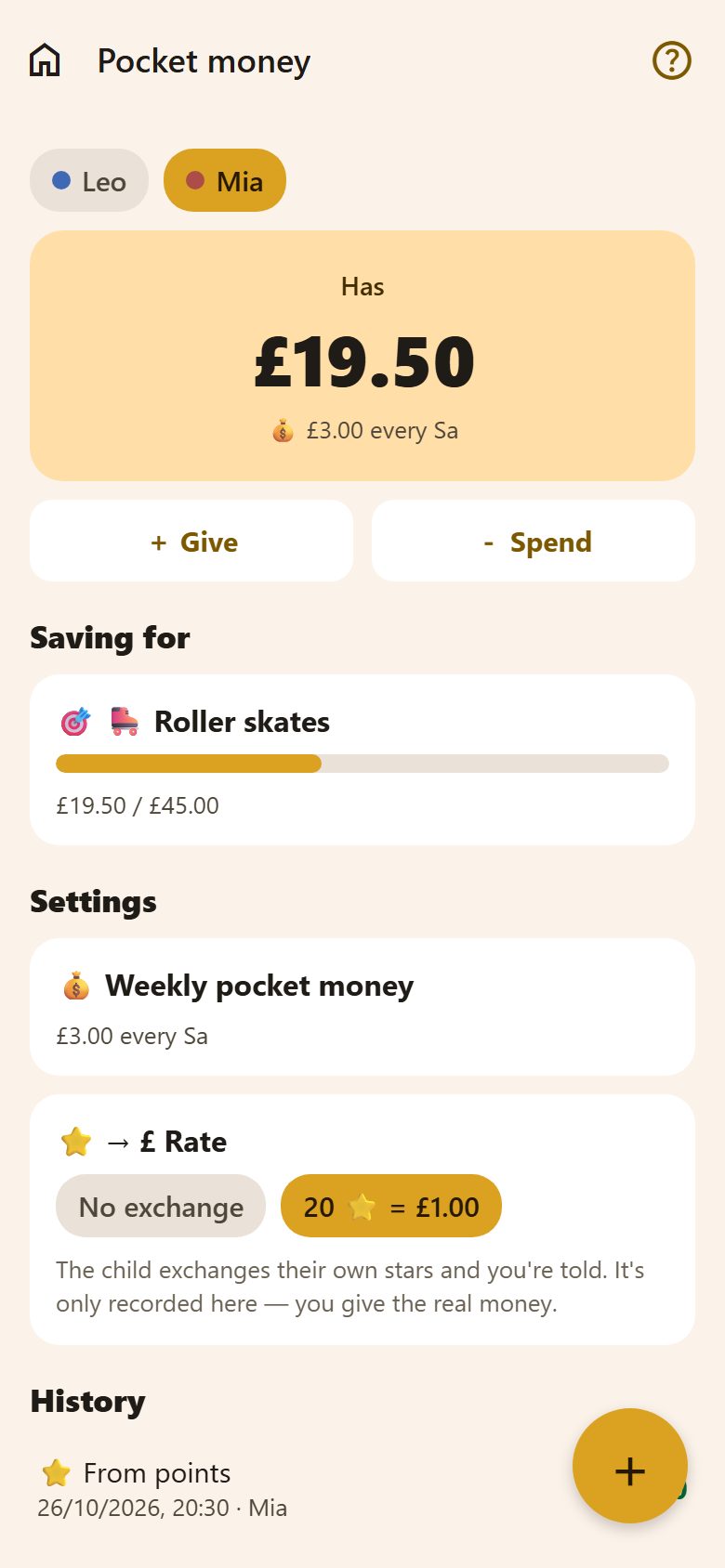
The balance
The chips at the top switch between children. Under Has: what the child has now, and their weekly pocket money.
- + Give records money given — an amount and, if you like, from whom or what for ("Grandma Rose").
- − Spend records what was spent ("Comic book").
Amounts are in the family's currency (⚙️ Settings → Family → Currency).
Weekly pocket money
Settings → 💰 Weekly pocket money: the amount and the day. On that day it adds itself in the morning, and the child gets a notification. Pause it any time.
Stars → money
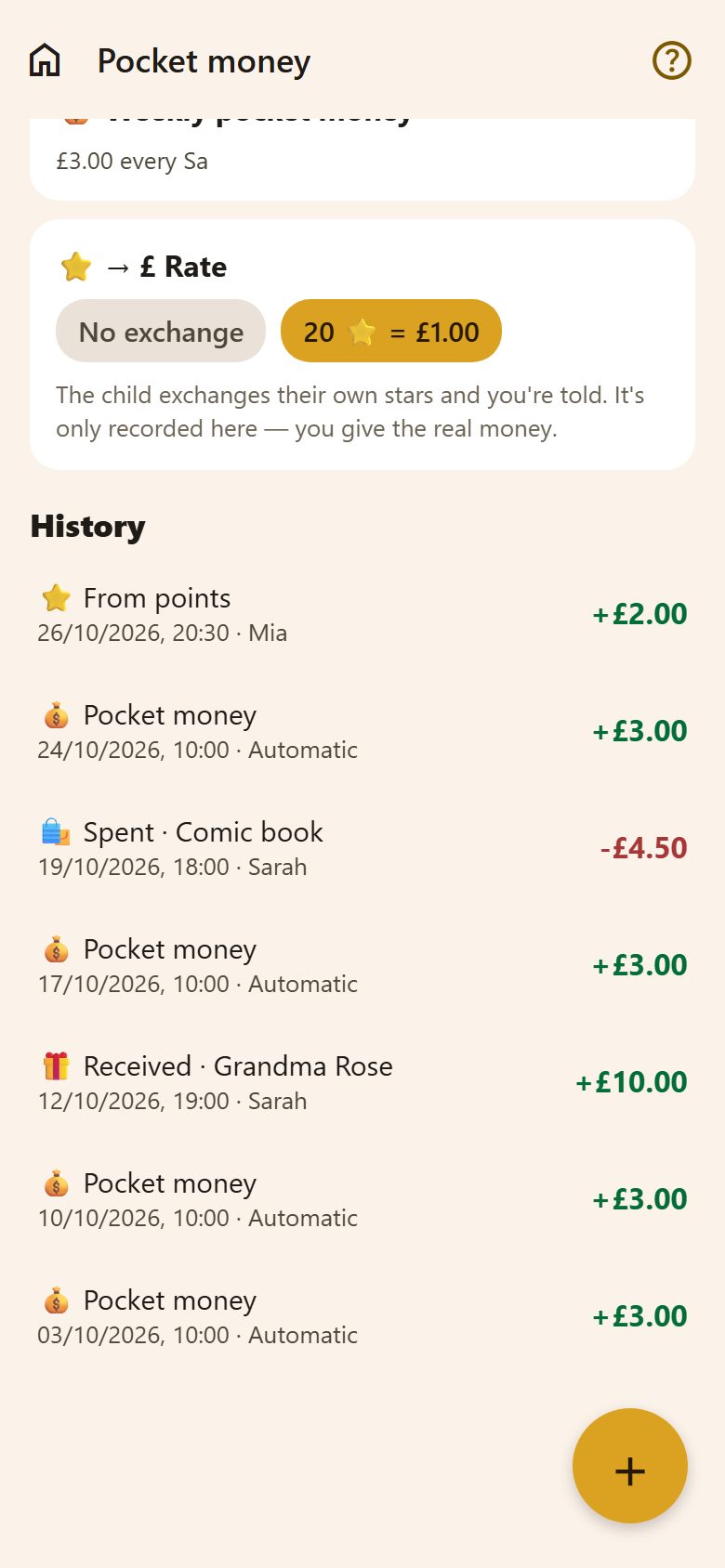
Under ⭐ → Rate, set how many stars make how much money ("20 ⭐ = £1.00"), or No exchange.
Then the child exchanges their own stars — their stars, their choice between money and rewards. The parents get a notification. Hold the entry to undo it: the money goes and the stars come back.
Saving for something
+ at the bottom right → New goal: what ("Roller skates") and how much. The bar fills as the balance grows; when there's enough — Saved enough! 🎉. The child can make their own goals too. Hold a goal to delete it.
History
Every entry, newest first: what it was, when and who — Automatic for the weekly pocket money. A parent holds an entry to delete it.
What a child sees
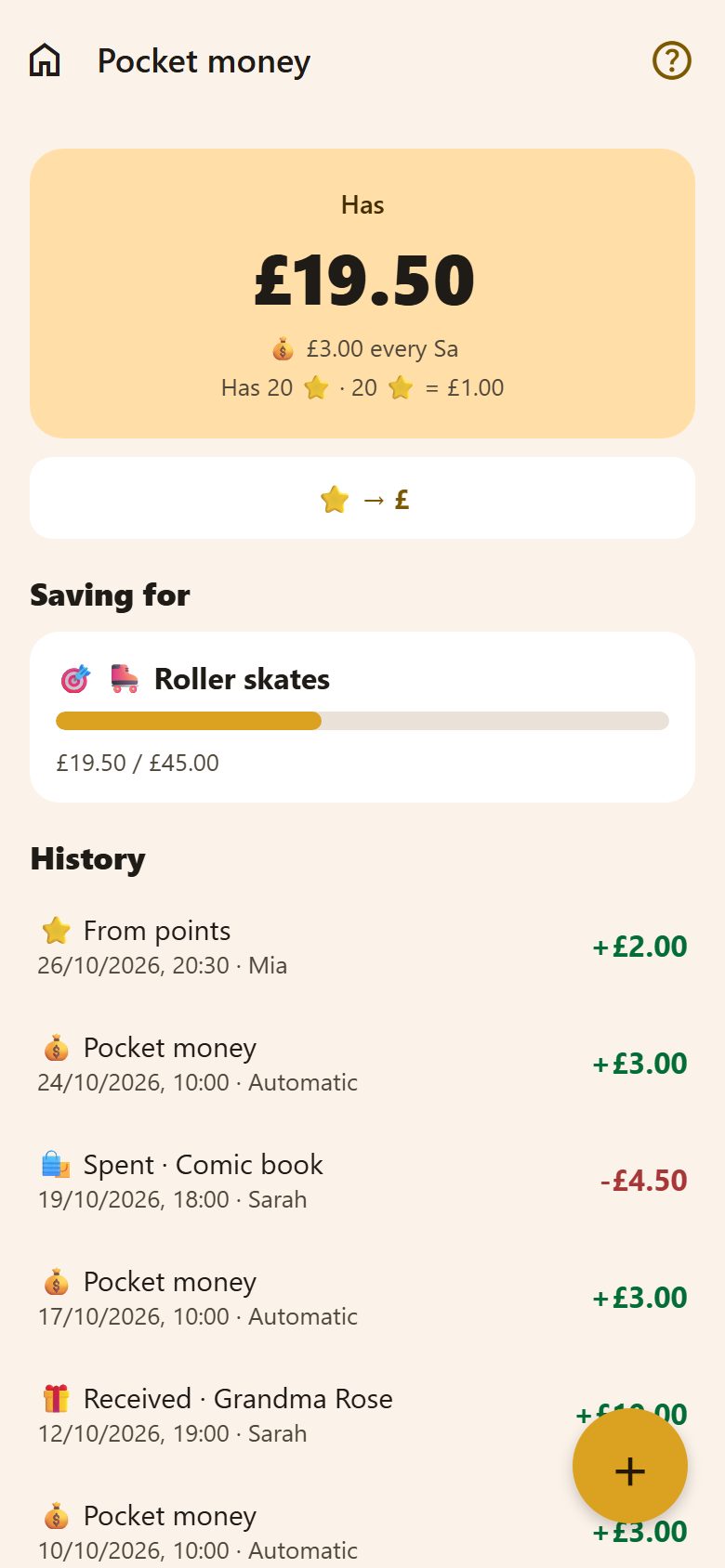
Only their own pocket money, goals and history — and, with a rate set, how many stars they have and the ⭐ → £ button.
Questions
Can a child give themselves money? No — only parents give and record spending. A child can exchange stars and make goals.
We don't use pocket money. Then just don't open it — nothing appears anywhere else.