The family organizer
Your whole family, in one place.
Chores the kids actually do, a shopping list that updates while you’re in the shop, and one calendar for everyone — so nobody has to remember it all alone.
Free · iPhone and Android · 14 languages
- Live on every phone
- Kids get their own login — no email needed
- Notifications you control
Everything a family runs on
Start with tasks and shopping. The rest is there the day you need it.
Tasks & chores
For anyone in the family, once or every week, with a reminder, a deadline or a real alarm. Kids tick them off; you approve with one tap.
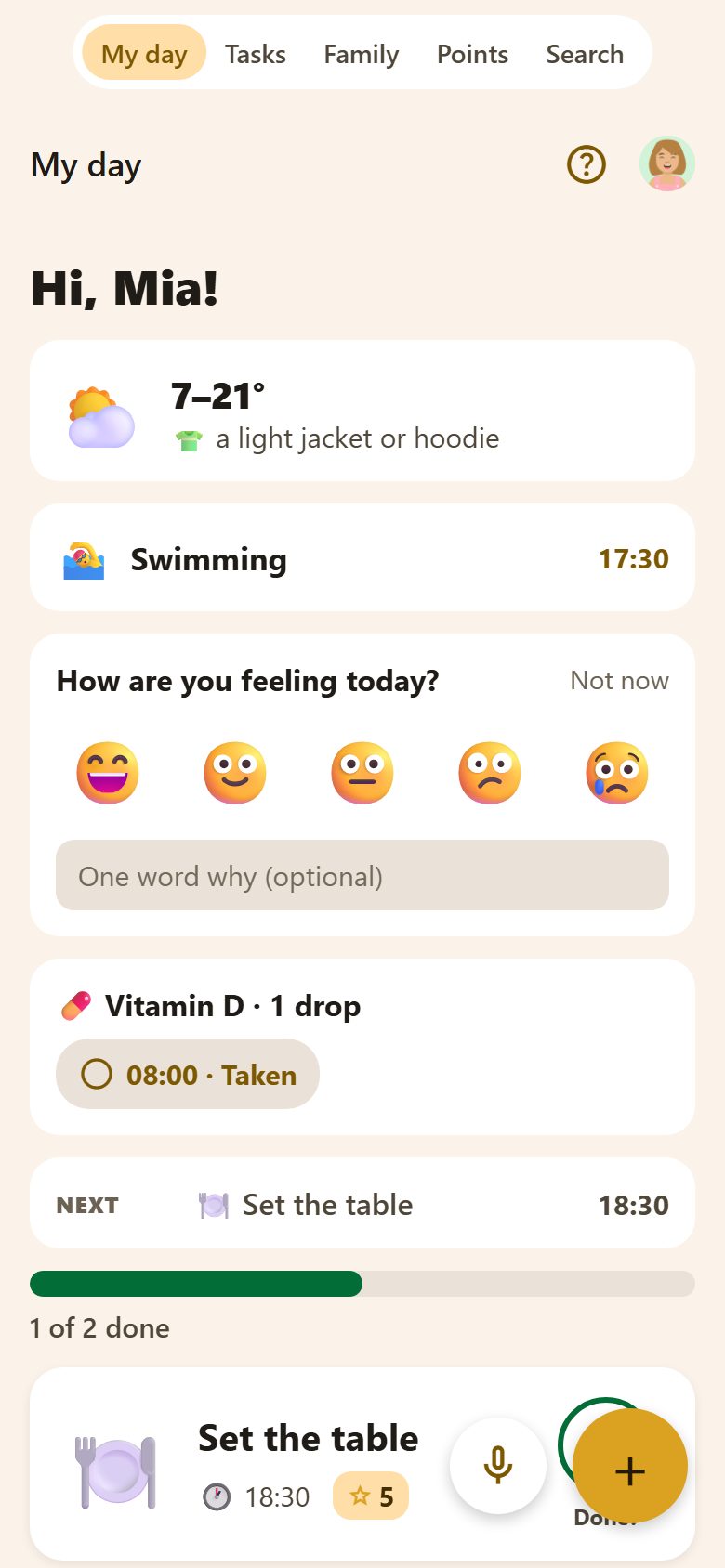
Routines & My day
Morning and evening routines with steps and a timer. Each child opens their own “My day”: what’s next, their medicines, what to take to school.
Points & rewards
Kids earn points and streaks and trade them for rewards you choose — screen time, a trip, pocket money.
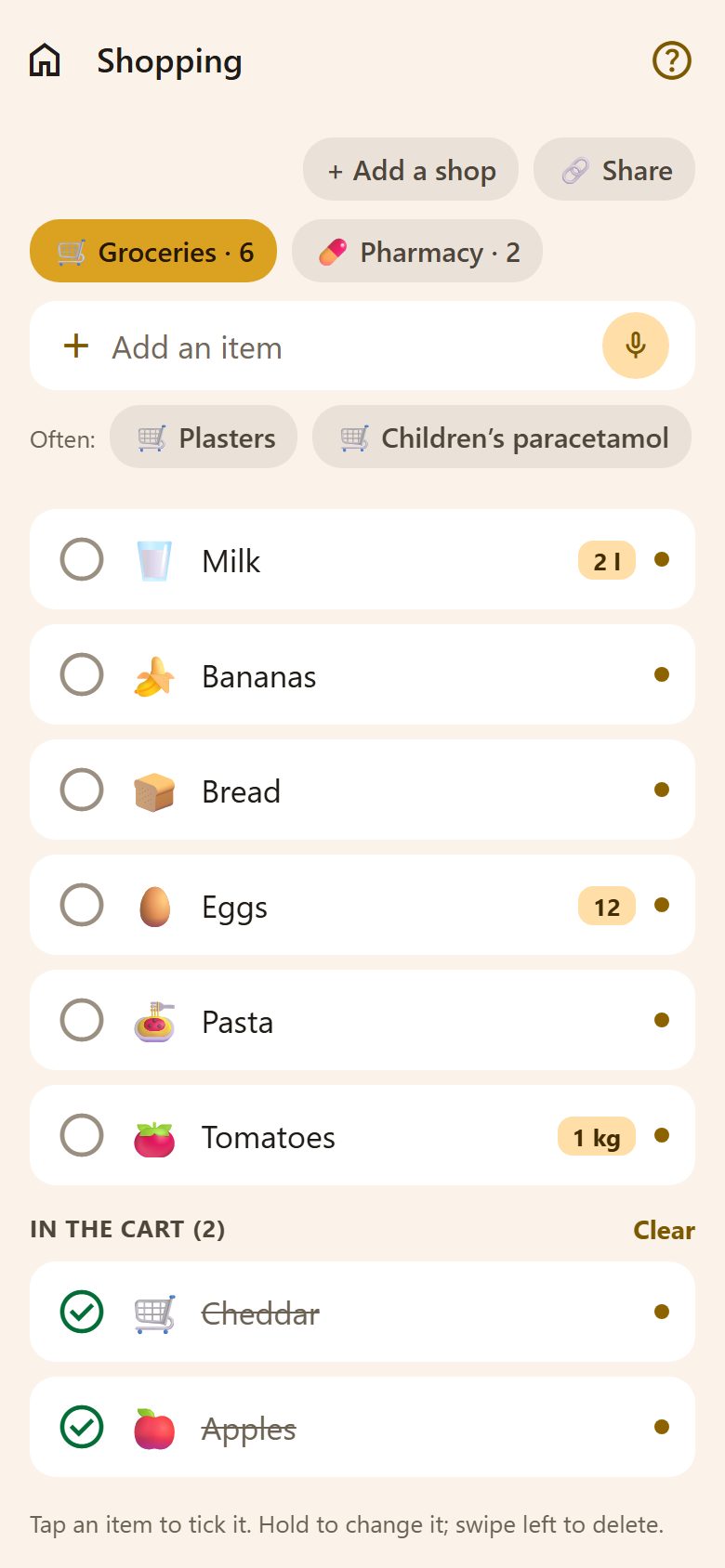
Shopping lists
Type “2 milk” or say it. Everyone sees the list change live, and what you buy often is one tap away.
Family calendar
Events, birthdays, school and activities in one week view — with your Google Calendar brought in.
Notes
Shared notes for the family, and private ones only you can see. Codes, sizes, the Wi-Fi password — always at hand.
Recipes & weekly menu
Save recipes from a link or a photo, plan the week, send the ingredients to the shopping list.
Bills, money & the car
Bills reminded before they’re due, pocket money with savings goals, the car’s service and insurance, documents before they expire.
AI assistant
Snap a school letter or a timetable, or just say it — it becomes tasks, events and lessons. It can even set up a new family for you.
Grandma & the babysitter
A simple link — no app, no login: the children’s day, who picks them up, the medicines, what goes in the school bag.
Kitchen screen & family tablet
An old tablet on the wall shows the family’s day. Little ones without a phone tap their name and a PIN on a shared tablet.
Screen time
On a child’s iPhone, the apps you choose stay locked until they unlock them with stars — chores first, games after. Coming soon.
Plus a lot more — all in one app
Made for the whole family
For parents
- See the whole week at a glance
- Hand out chores without nagging
- Approve, reward, done
- Your own private notes
For kids
- Their own login, no email or phone needed
- Points, streaks and rewards they choose
- A simple “My day” with what’s next
- Fun, not a to-do list
Up and running in two minutes
Create your family
Sign up as a parent and name your family.
Add everyone
Invite the other parent; give each child a username.
Live, everywhere
Add a task or a product — every phone shows it at once.
Small things that make it a habit
Widgets, Siri & Alexa
My day, shopping and your stars on the home screen; “Alexa, ask my Lanibo to add milk to the shopping list”.
Works with your calendars
See the family calendar in Apple, Google or Outlook, or bring your events over from another app. And Google Calendar works both ways.
Share into the app
Send a recipe link or a message to Lanibo from any app.
Notifications, your way
Pick which kinds of notifications reach you and when the family keeps quiet — and tick a task off right from the notification, even on your watch.
Questions
Is Lanibo free?
Yes. Lanibo is free to download and use.
Which devices does it work on?
iPhone and Android phones and tablets. Everything stays in sync on every one of them.
Do children need an email or a phone number?
No. A parent gives each child a username and password. Children can use a family tablet too.
Who can see our family’s things?
Only the people in your family. Private notes only their author. A link to something in Lanibo opens only for your family; for anyone else it doesn’t exist.
Can we delete our data?
Yes, at any time, from Profile in the app — the account and everything in it.
Which languages?
English, Bulgarian, Spanish, German, French, Portuguese, Italian, Dutch, Polish, Swedish, Turkish, Japanese, Chinese and Korean. Everyone in the family can pick their own.
Lanibo is almost here
It is coming to the App Store and Google Play. Want to try it before everyone else? Write to us.
Support
A question, a problem or an idea? A real person reads every message. support@lanibo.com