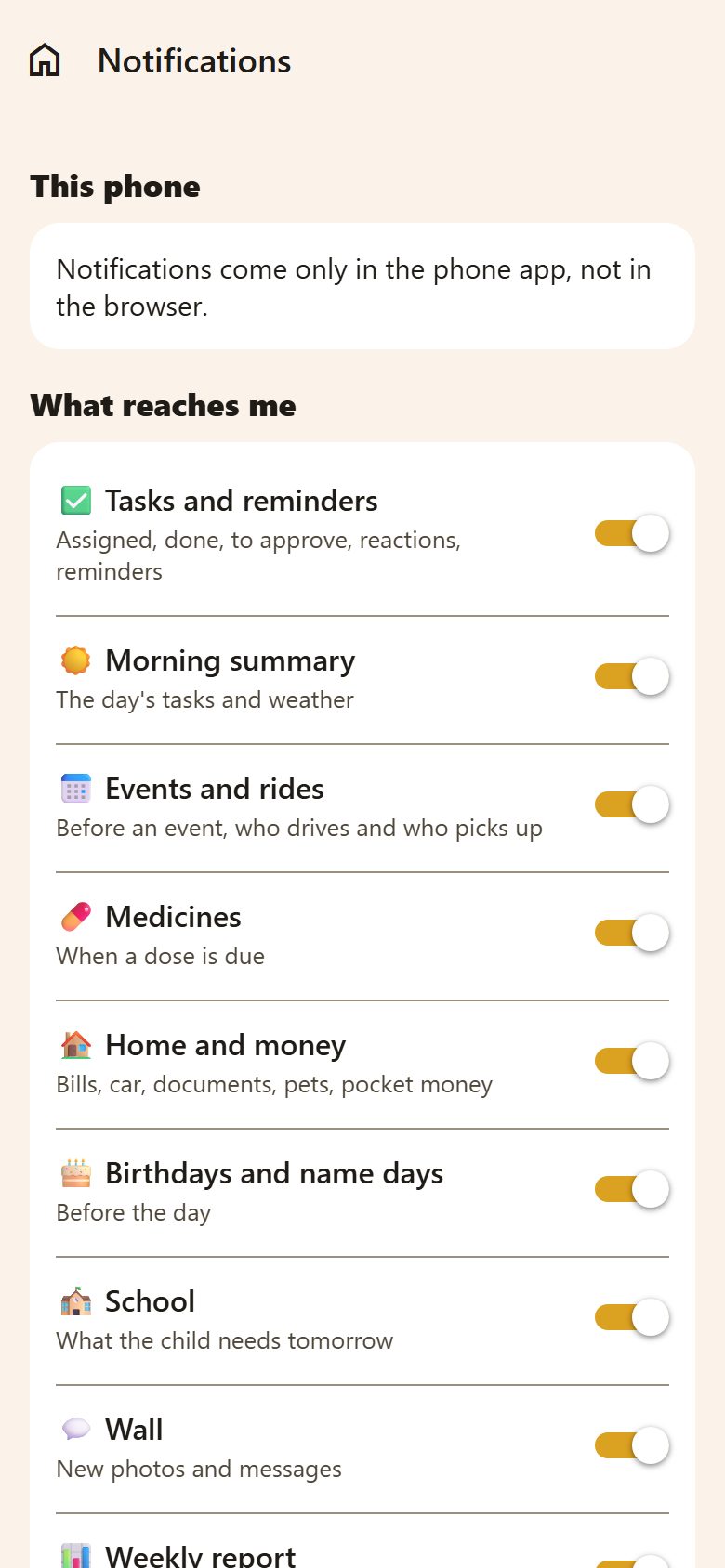
This phone
At the top, whether this phone may show Lanibo's notifications:
- Allow notifications — if they aren't yet.
- Open the phone's settings — if they were turned off there (that's why none arrive).
- 🔔 Send a test notification — to see one arrive.
Notifications come in the phone app, not in the browser.
What reaches me (parents)
A parent picks which kinds reach them — just for themselves:
| Kind | What |
|---|---|
| ✅ Tasks and reminders | Assigned, done, to approve, reactions, reminders |
| ☀️ Morning summary | The day's tasks and the weather |
| 📅 Events and rides | Before an event; who drives and who picks up |
| 💊 Medicines | When a dose is due |
| 🏠 Home and money | Bills, the car, documents, pets, pocket money |
| 🎂 Birthdays and name days | Before the day |
| 🏫 School | What the child needs tomorrow |
| 💬 Wall | New photos and messages |
| 📊 Weekly report | On Sunday evening |
| ⭐ Points and rewards | Bonuses, rewards, reward ideas |
Children get every notification about their own tasks and reminders — so nothing for them is missed.
For the whole family
In ⚙️ Settings → Family:
- Morning summary — at what time everyone gets the day's tasks (and the weather). Reminders about bills, documents, pets and celebrations come at that time too.
- Quiet hours — no notifications in the night. A reminder that falls inside them arrives when they end. (Medicine doses and alarms still come on time.)
Buttons in the notification
A notification about a task has buttons — ✓ Done and ⏰ In 30 min for whoever does it, ✓ Approve for a parent when it waits. They work without opening the app, and on a smartwatch too.
A medicine reminder has 💊 Taken, a bill reminder 🧾 Paid, and the morning summary 🛒 Buy…: type or say what to buy (commas for several) and it goes on the first shopping list. On a watch you dictate it.
Questions
No notifications arrive. Check This phone at the top: allowed? Then Send a test notification. On Android, also check that battery saving doesn't stop Lanibo.
Too many notifications. A parent turns off the kinds they don't need above. For a whole night of quiet, set the family's quiet hours.