The widgets
| Widget | What it shows | On Android |
|---|---|---|
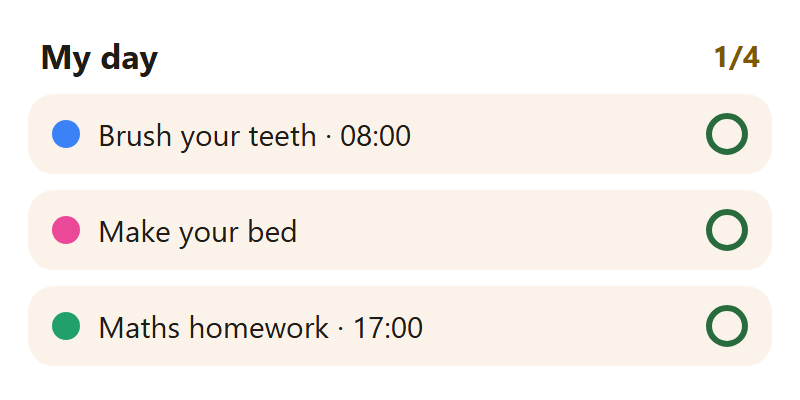
| My day | Your open tasks for today | ✓ ticks a task right there |
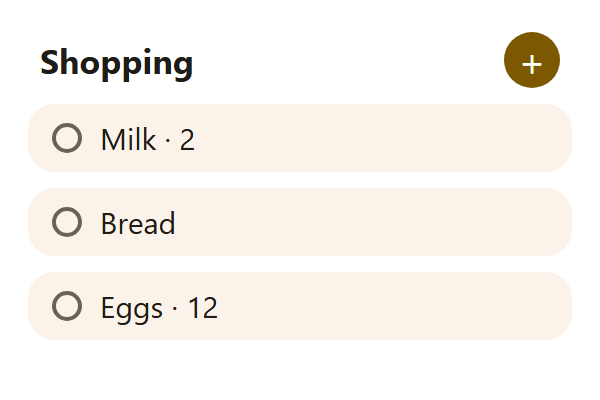
| Shopping | What's left to buy | Tap an item to tick it; + opens the list |
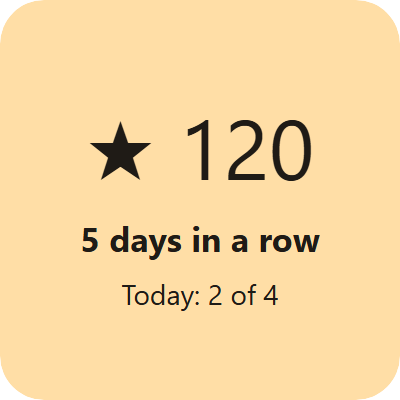
| My stars | Points, days in a row, today's tasks | — |
| Notes | The latest notes (parents) | Tap one to open it; + for a new one |
When everything for today is done, My day celebrates instead of listing the coming days: a praise that changes daily, the stars earned today and the days in a row.
On an iPhone the widgets show the same; a tap opens the app at the right place.
Adding one
- Android: hold an empty spot on the home screen → Widgets → Lanibo → drag the one you want. Hold it later to make it bigger or smaller.
- iPhone: hold the home screen → + at the top left → Lanibo → pick the widget and its size → Add Widget.
On the iPhone's Lock Screen
Hold the Lock Screen → Customize → the widgets under the clock:
- My day — the next tasks under the clock, or one line next to the date;
- My stars — the points in a circle.
A routine while it's going
From the first ticked step to the last, a routine shows on the Lock Screen and in the Dynamic Island: how many steps and what's next. On Android it's a quiet notification that stays until the routine is done.
Questions
The widget shows old tasks. Widgets refresh about every 30 minutes and whenever Lanibo opens — open the app once to bring it up to date.
Which person does the widget show? Whoever is logged in on that phone.