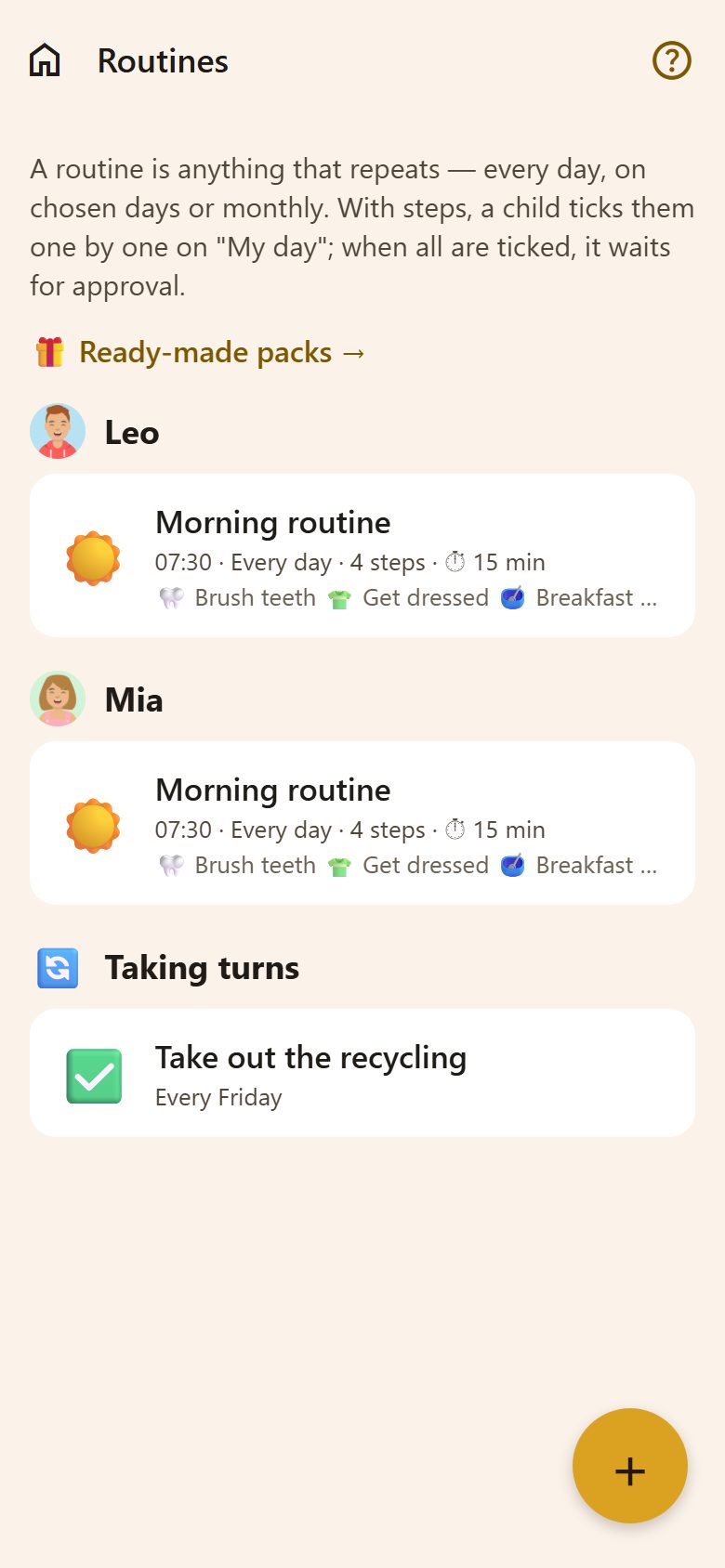
Two kinds
| A routine with steps | A recurring task | |
|---|---|---|
| For | Morning, evening, homework — a checklist a child goes through | One job that comes back: "Take out the recycling", "Water the plants" |
| On My day | The steps as big buttons, ticked one by one | An ordinary task with "Done?" |
| Who | One or more children — each gets their own | One person, or taking turns |
| Made with | + on Family → Routines | Make it a routine in a task, or "More settings" in a new routine |
Both live in Family → Routines, grouped by person, with "Taking turns" at the end. Tap one to change it.
A routine with steps
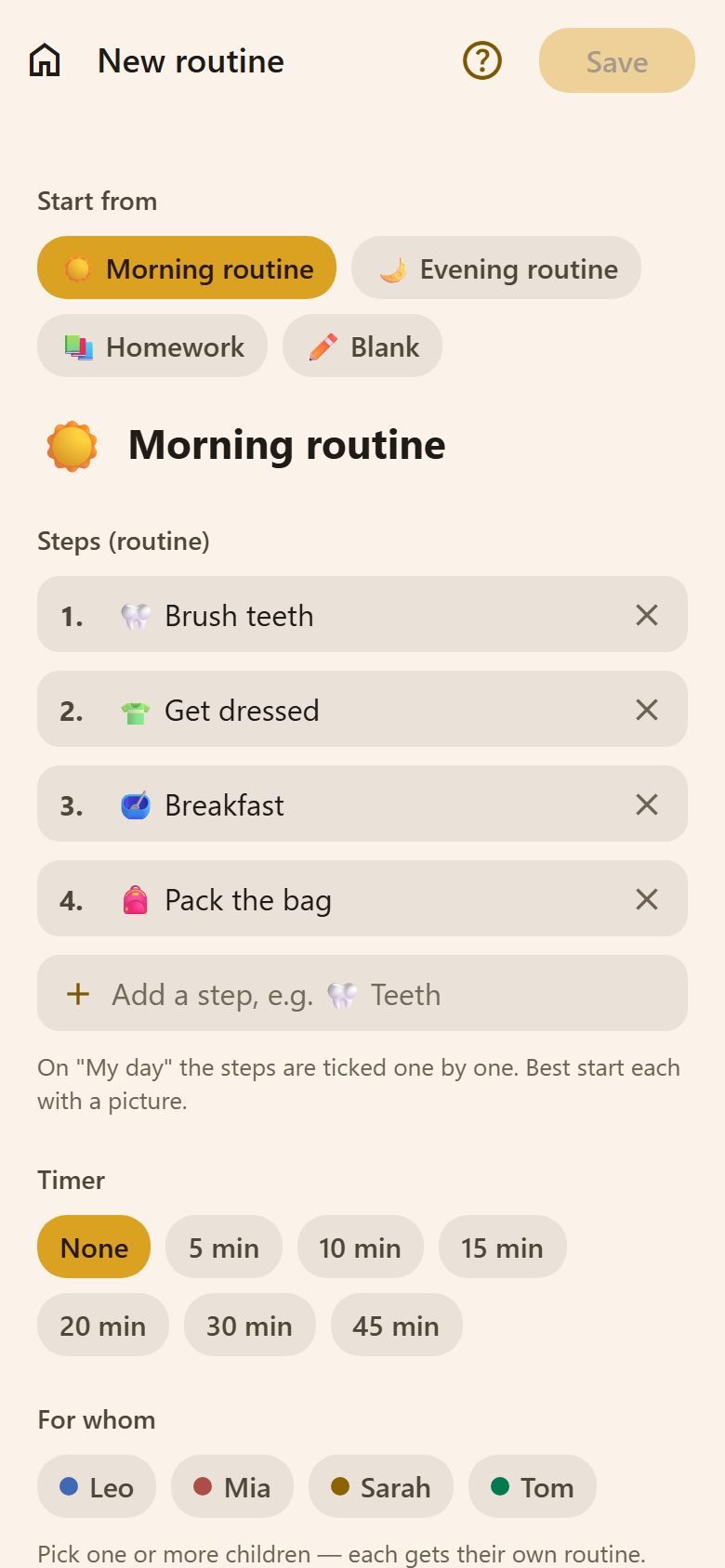
- Family → Routines → +.
- Start from a ready one — ☀️ Morning routine, 🌙 Evening routine, 📚 Homework — or ✏️ Blank.
- Steps: change, remove (✕) or add them ("🦷 Teeth"). Start each with a picture — children who can't read yet follow the pictures.
- Timer: none, 5, 10, 15, 20, 30 or 45 minutes.
- For whom: one or more children — each gets their own copy, ticked separately.
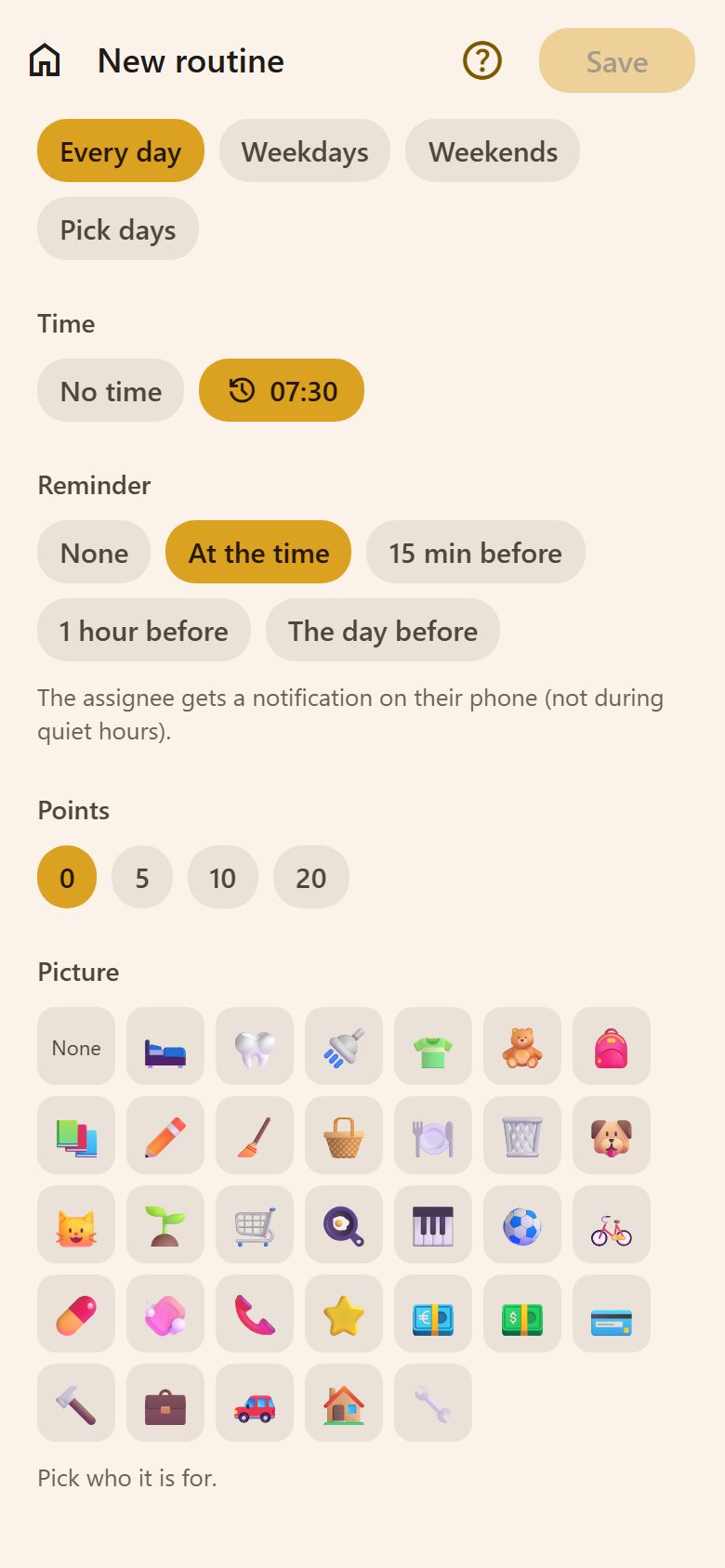
- When: every day, weekdays, weekends, or pick the days. A time, and a reminder (at the time, 15 minutes or 1 hour before, the day before).
- Points and a picture, then Save.
On the child's My day
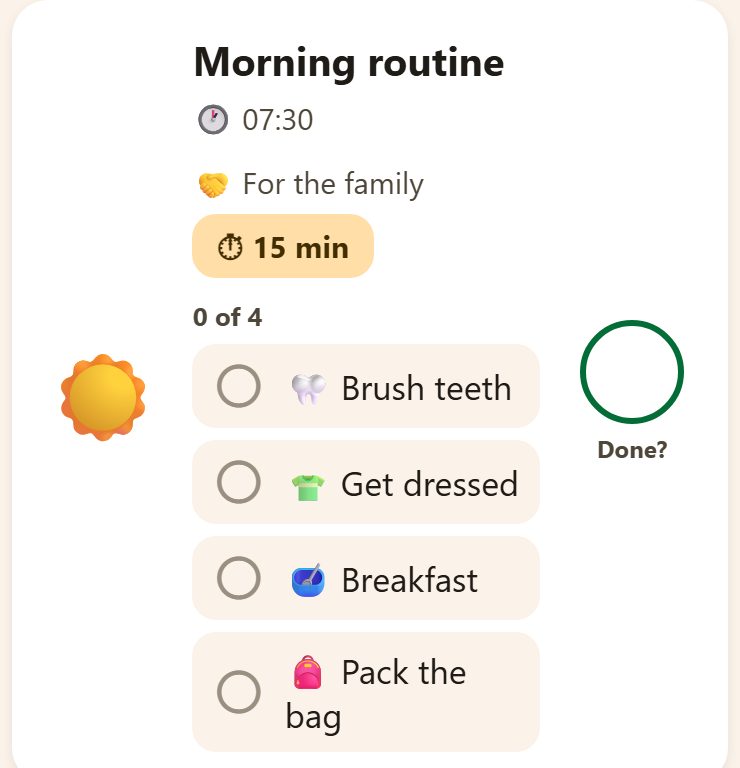
The steps are big buttons — tap each when it's done; "0 of 4" counts them. ⏱ 15 min starts the timer, with a heads-up a minute before the end and "Time's up!". When every step is ticked the routine is done, and like any task it waits for a parent's approval.
On an iPhone with iOS 26, a routine under way also rides above the tabs, showing how many steps are left and which is next.
A recurring task
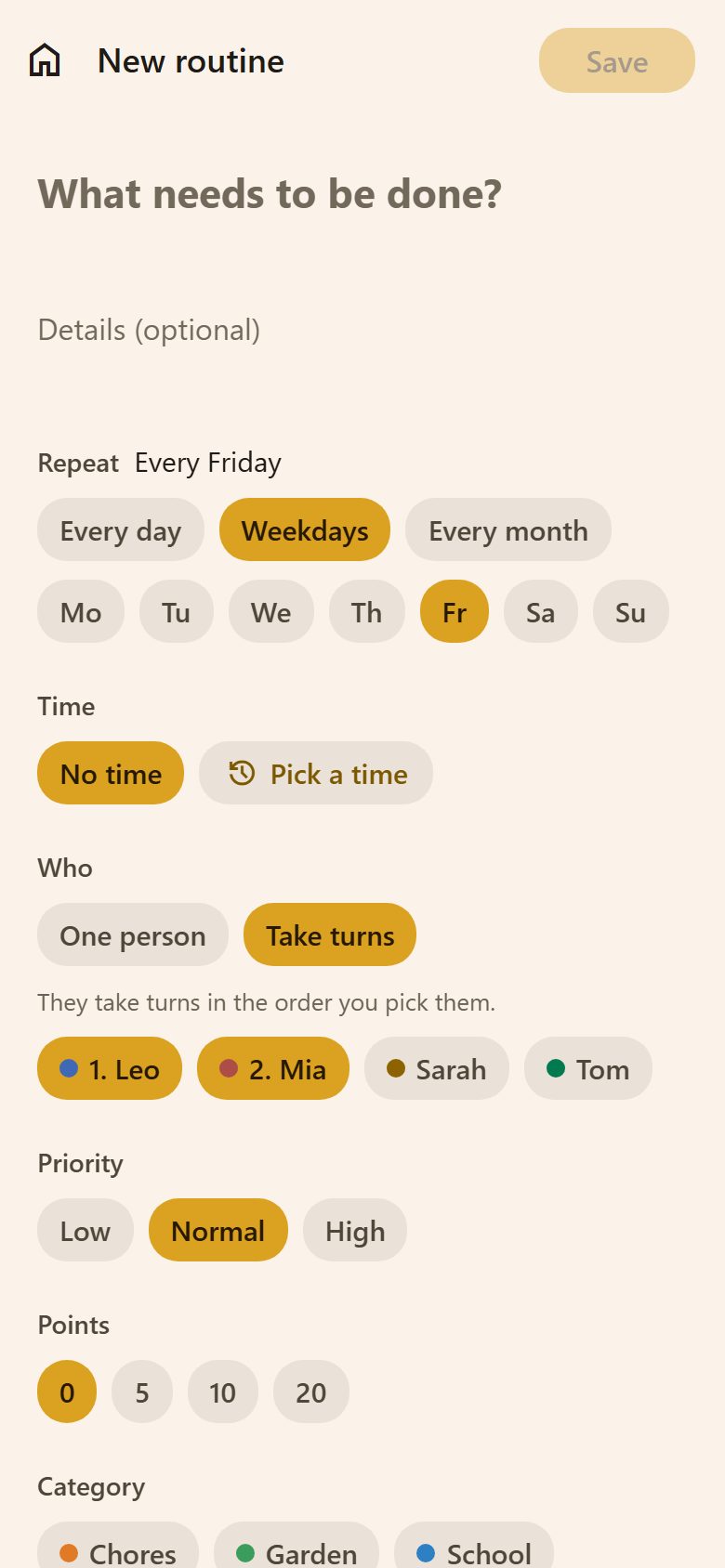
Open a task and tap Make it a routine → — or, in a new routine, More settings (priority, category, taking turns) →:
- Repeat: every day, on chosen weekdays (Mo – Su), or every month on a day (31 = the last day of the month).
- Time and reminder, like a task.
- Who: One person — always them — or Take turns: they take turns in the order you pick them. "1. Leo, 2. Mia" means Leo this Friday, Mia the next, then Leo again.
- Priority, points, category and a picture.
How the copies work
- Every hour, Lanibo makes today's copy for each routine whose rule says so — in your family's own time zone. A copy is an ordinary task: points, approval, history and reminders work as usual.
- Nothing piles up. If yesterday's copy was never done, it's marked skipped (no points) when today's is made. One the child already said "Done!" to still waits for its parent.
- Changes count from the next copy. Copies already made stay as they are.
- Pause a routine to stop new copies without deleting it ("Paused — not shown on My day").
- Delete it, and the tasks already made stay.
- Copies don't each send an "assigned to you" notification — the morning summary covers them, so a daily chore doesn't buzz every morning.
Questions
Can I see only routine tasks in Tasks? Yes — Tasks → Filters → Only from routines.
A child is ill today — what about the routine? Leave it: tomorrow's copy replaces today's, and today's is just marked skipped. For a longer break, pause it.
Why can't I change the steps from the task itself? A routine's day in Tasks says it's part of a routine; the steps are changed once, in Family → Routines, so every following day gets them.