Seeing the week
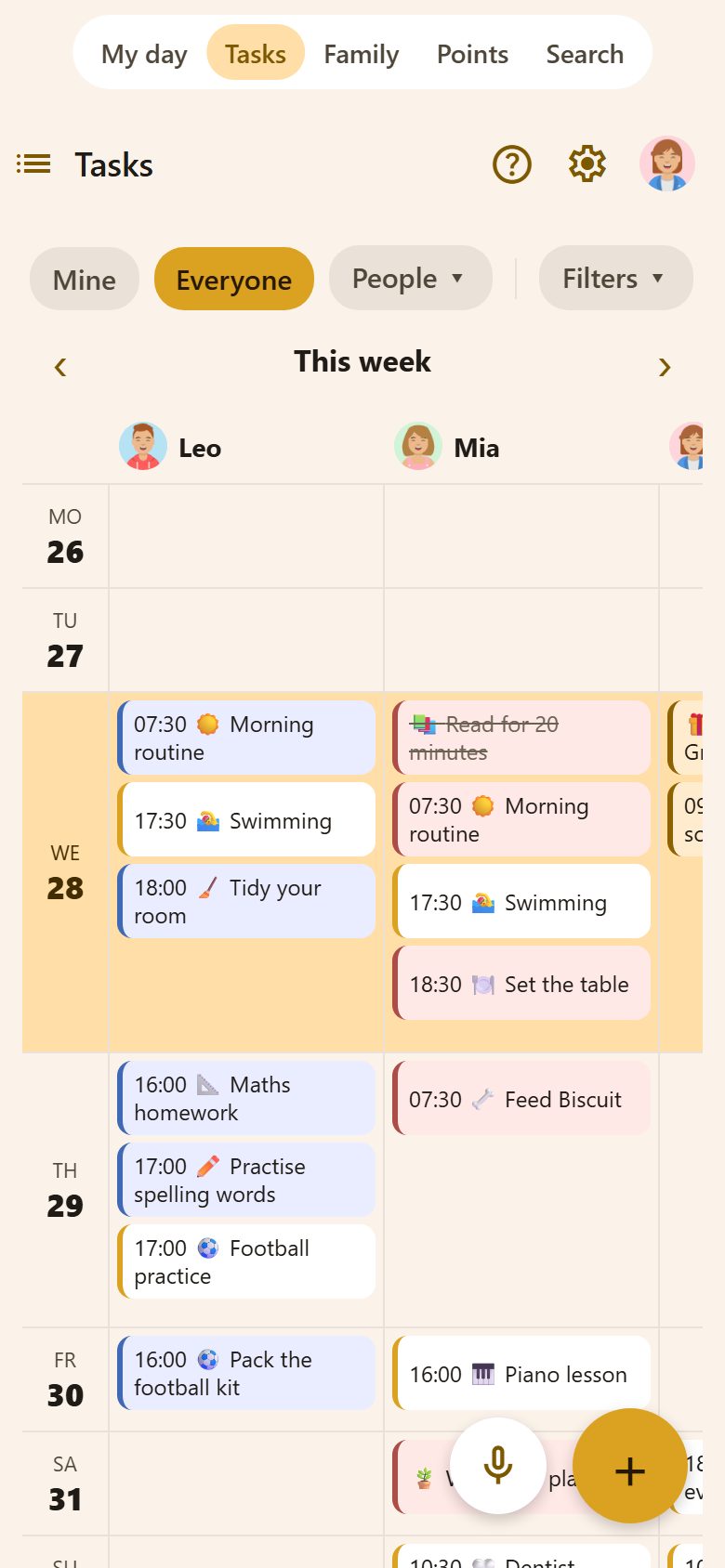
The button next to Tasks at the top left switches between three views:
- List — the tasks, as usual.
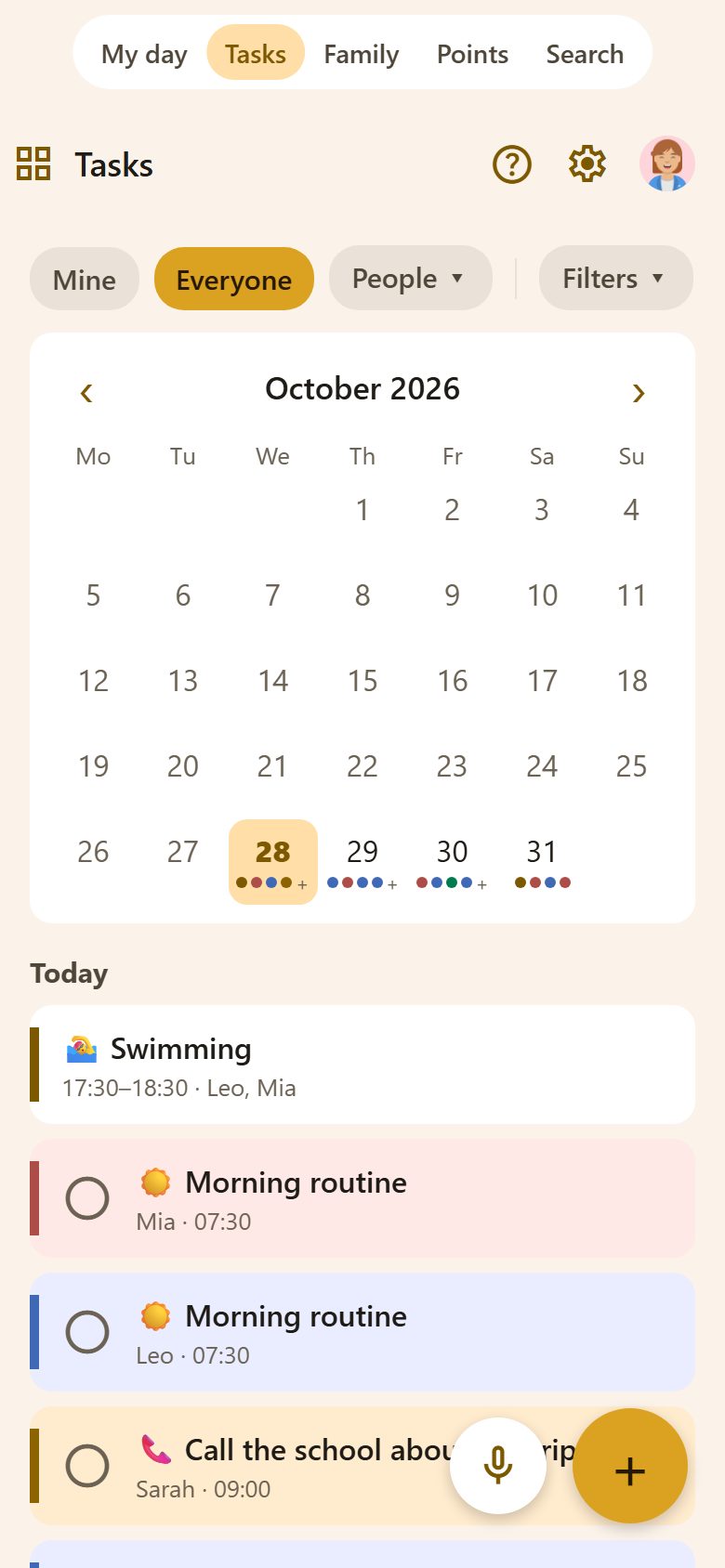
- Calendar — a month; dots mark the days with something on. Tap a day to see its tasks and events below.
- Week by person — a column for each person, a row for each day, tasks and events together. Swipe sideways for the others; ‹ › moves a week.
Mine / Everyone / People at the top work in every view.
A new event
+ at the bottom right of Tasks → 📅 New event. In the calendar view, the event starts on the day you picked.
| Field | What it does |
|---|---|
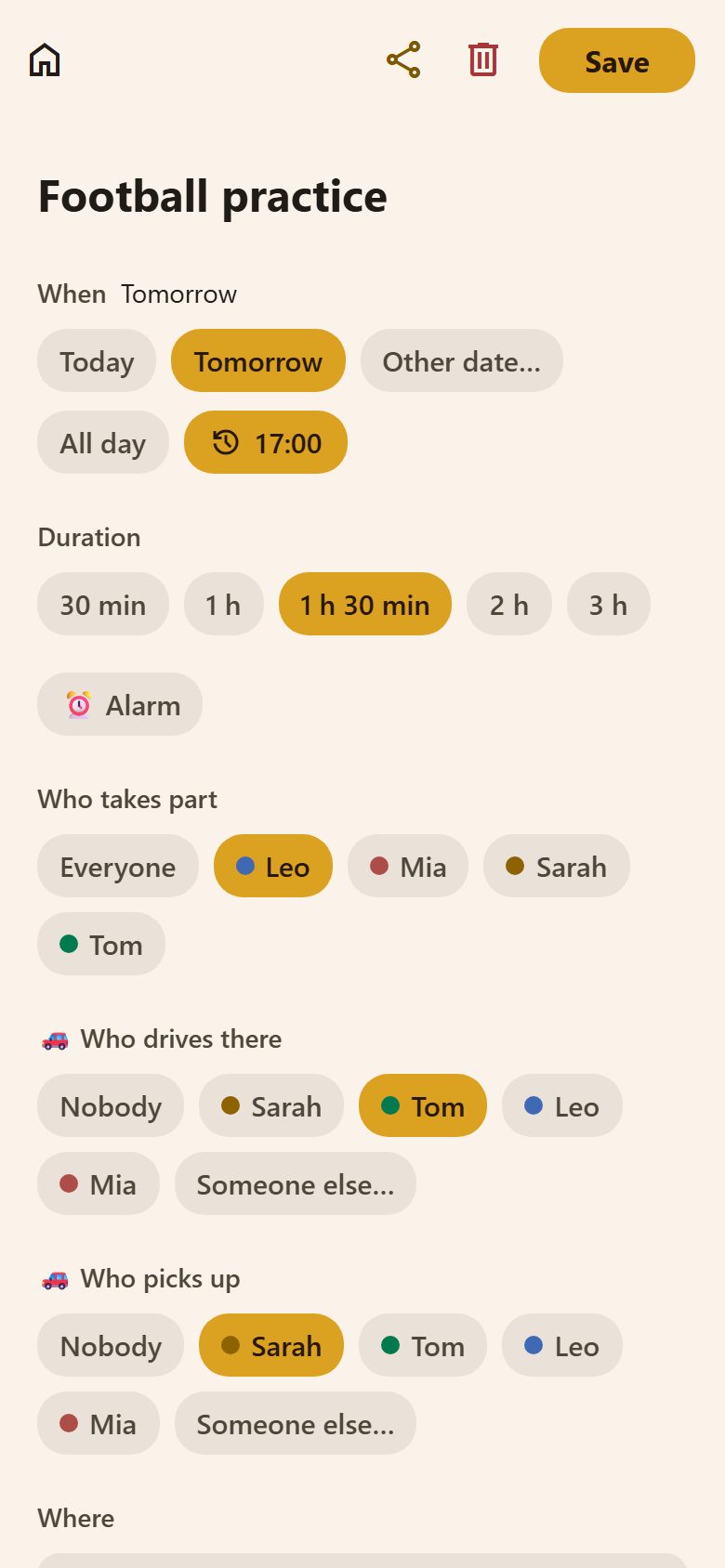
| Name | "Football practice". |
| When | Today, Tomorrow or Other date…; All day or a start time. |
| Duration | 30 min, 1 h, 1 h 30 min, 2 h or 3 h. |
| ⏰ Alarm | Rings like an alarm clock at the start — see Alarms. |
| Who takes part | Everyone, or the people it's for. Only they get its reminders and see it on their My day. |
| 🚗 Who drives there | Nobody, someone in the family, or Someone else… (a name — grandma, a neighbour). |
| 🚗 Who picks up | The same. With ⏰ Alarm on, the one who picks up is woken at the end of the event, not the start. |
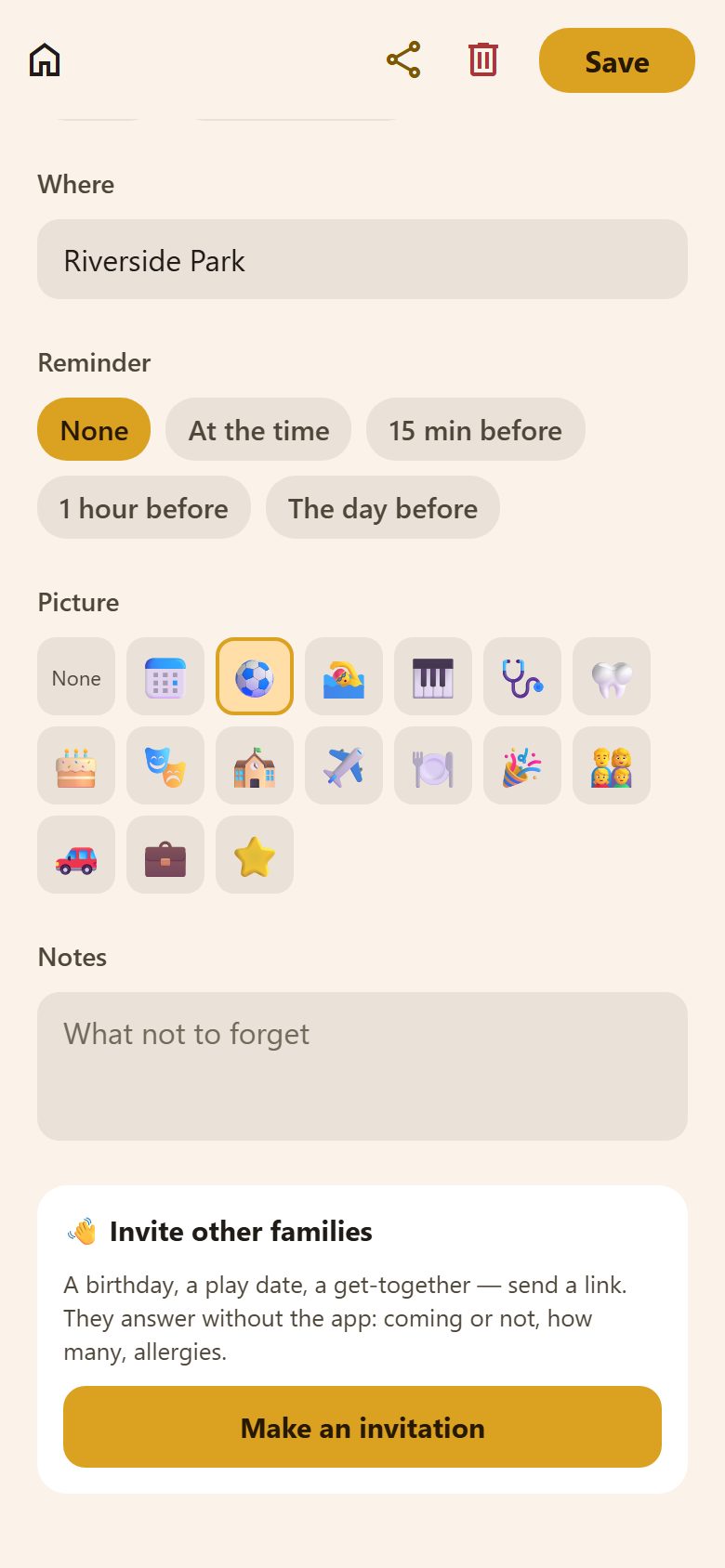
| Where | The address or place. |
| Reminder | None, at the time, 15 minutes or 1 hour before, or the day before. |
| Picture | ⚽ 🏊 🎹 🩺 🎂… Pick one, or More for any emoji (how). |
| Notes | What not to forget — "shin pads", "bring the form". |
Anyone can add an event; whoever added it, or a parent, can change it. Share at the top sends a link to it to someone in the family.
📎 Files on an event — attach the tickets as a photo or a PDF (up to 10 files, 10 MB each). A file opens when you tap it. On the phone, the files of the next two days' events are kept, so the tickets open at the door even with no signal.
Invite other families
At the bottom of an event: Make an invitation. For a birthday, a play date or a get-together — send the link, and the other families answer without the app: coming or not, how many, and allergies. You see the answers in the event.
Other calendars
- Your phone's calendar — tasks with a date can show in the phone's own calendar. See Calendars.
- Google Calendar, both ways: family events go to your Google Calendar and changes there come back. See Google Calendar.
- Bring in a calendar (Google and others, read only) — the family sees when you're busy. See Calendars.
Clashes
Pick people and a time, and Lanibo says ⚠️ Leo already has Football at 17:00 when one of them is busy then. It's only a warning — saving still works. A task with a time counts as 30 minutes; an event for everyone and all-day events don't count. The morning overview lists the day's clashes too: a parent sees everyone's, a child their own.
Questions
Who sees an event? Everyone in the family sees it in the calendar; its reminders go only to the people in it.
Can a child add an event? Yes — and change it afterwards. A parent can change any event.